How to Import Bank Information
Chinaza Okafor · Mar 31, 2026 · 1 min read
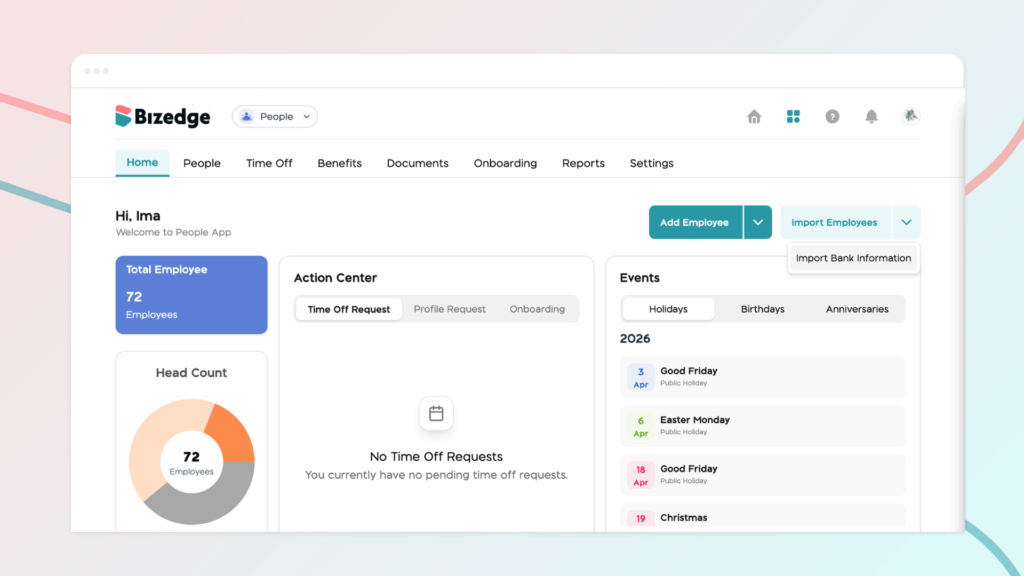
Step 1: To import employees’ bank information, navigate to the People home page. Next, click on the drop-down button beside the Import Employee option and click on ‘Import Bank Information’.
Step 2: Download the Bank Code List and the CSV template. These templates are provided to ensure that all bank information is entered in the correct format required by the system.
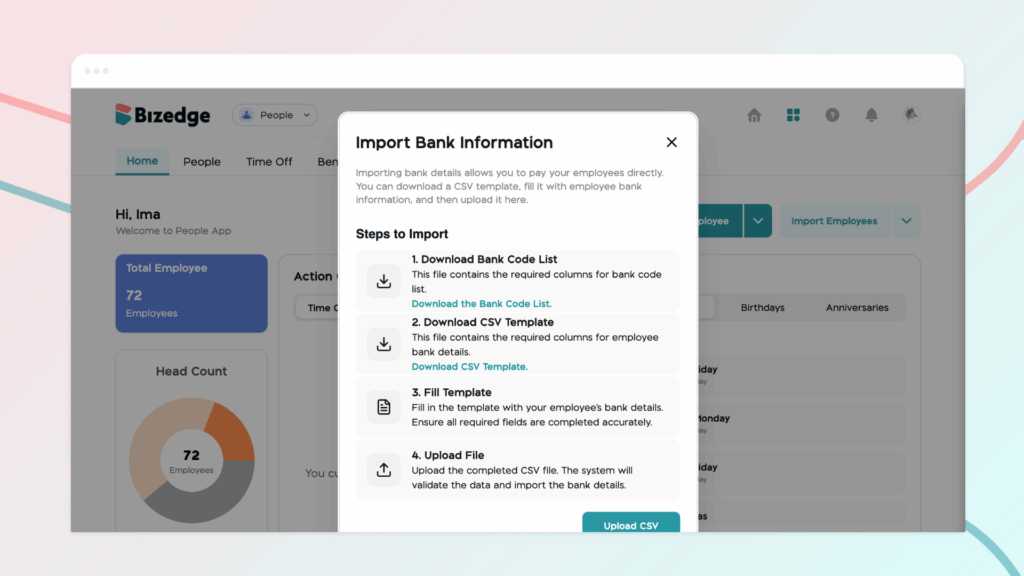
Step 3: Once the template has been downloaded, open the CSV file on your system. The template contains predefined columns designed to capture important banking details for each employee. Carefully enter the employees’ bank information into the appropriate fields. It is important to ensure that all information is entered accurately and that the format of the sheet is not altered, as this may affect the upload process.
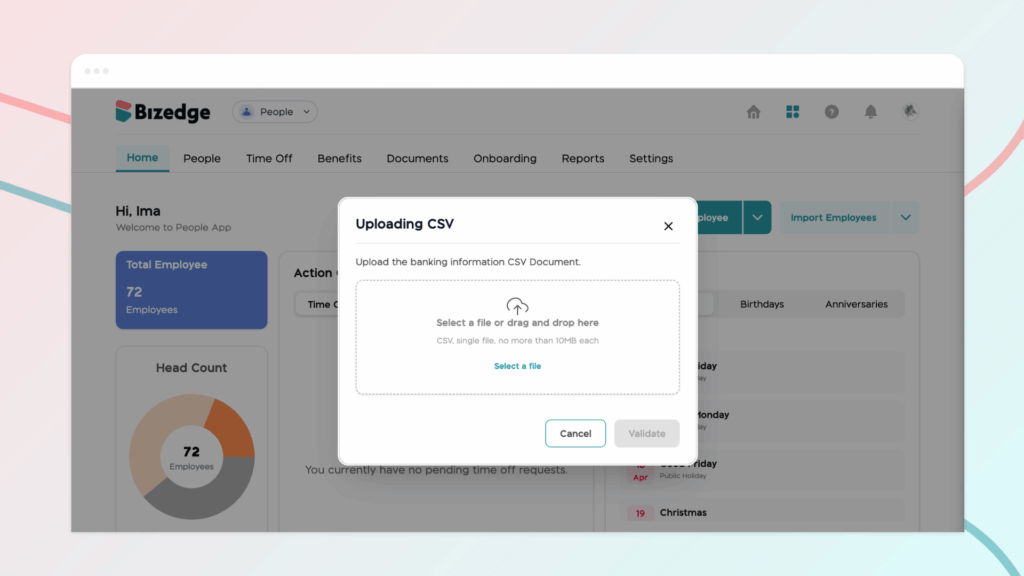
Step 4: After entering all the necessary bank details, save the completed file on your system. Make sure the file remains in CSV format, as this is the required format for the system to process the data correctly.
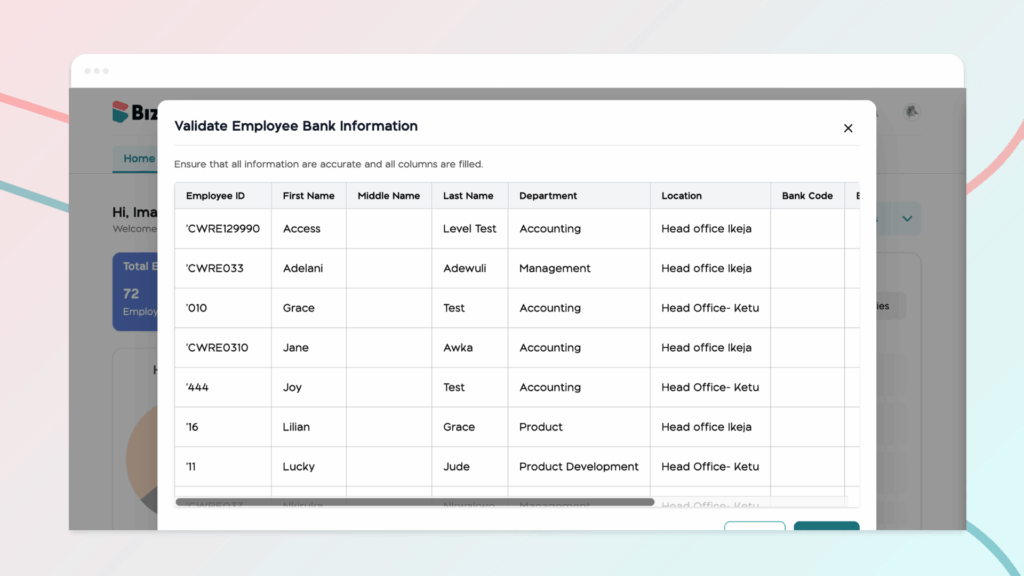
Step 5: Finally, return to the BizEdge Dashboard to proceed with uploading the completed template. Once uploaded, the system will process the information and update the employees’ bank details accordingly.
Comments
Leave a comment
Related posts

How to Use the MyTeam App
The MyTeam App on BizEdge helps line managers effectively oversee their teams. It provides visibility into team attendance, leave requests, time off schedules, and appraisal, making team supervision and approvals easier and more organized.
Apr 14, 2026 · 1 min read

How to Grant Line Managers Access to the MyTeam App
The MyTeam App on BizEdge helps line managers effectively oversee their teams. It provides visibility into team attendance, leave requests, time off schedules, and appraisal, making team supervision and approvals easier and more organized.
Apr 14, 2026 · 1 min read

How to Set Up Your Workspace Name on BizEdge
Your Workspace Name is how your business appears to employees across the BizEdge platform. Setting it up correctly ensures that your organization is easily recognizable to your team from the moment they log in. Follow these simple steps to update it:
Apr 14, 2026 · 1 min read