BizEdge Referencing App
Chinaza Okafor · Apr 13, 2026 · 1 min read
On this page
The Referencing app is a powerful tool designed to streamline your recruitment process by making it easy to collect and manage candidate references. In this guide, we’ll show you step-by-step how to get started with the BizEdge Referencing app on the web.
Getting Started with the BizEdge Referencing App
Step 1: Navigate to the Referencing App
From your BizEdge dashboard, locate and open the Referencing app.
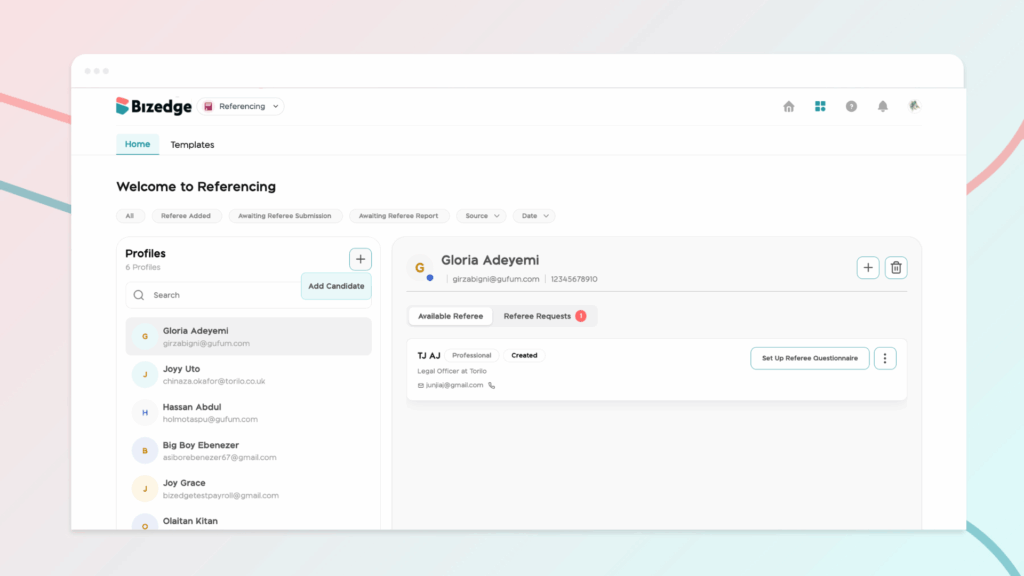
Step 2: Add a New Candidate
Once inside the app, click the 'Add New Candidate' button to begin the referencing process.
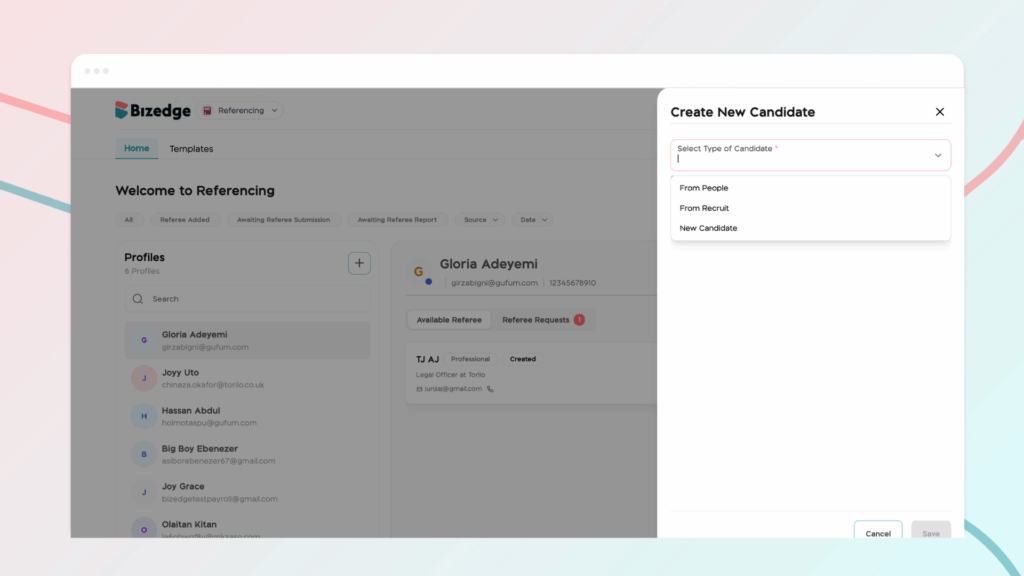
Step 3: Select the Type of Candidate
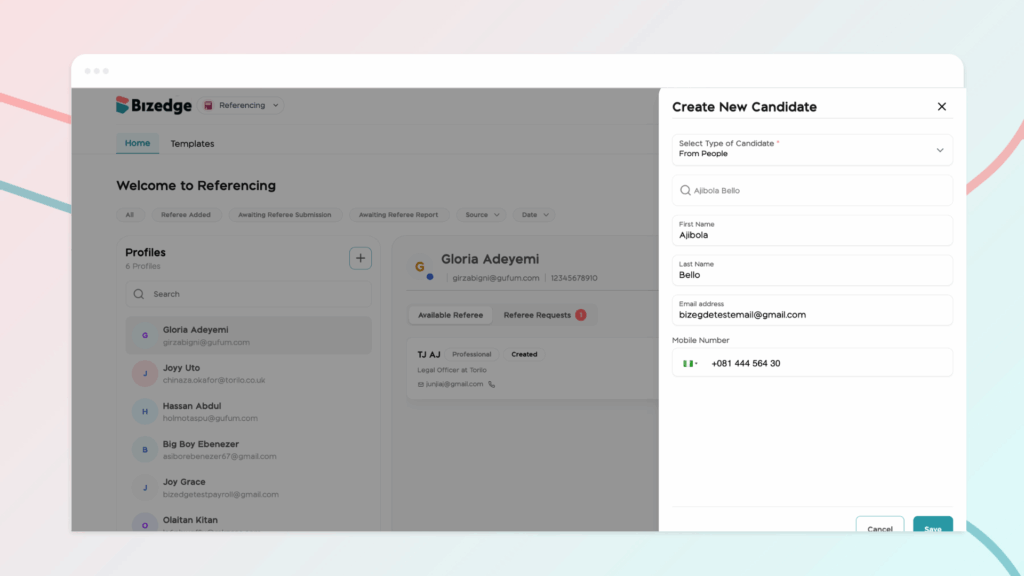
You will be prompted to choose the type of candidate you would like to reference. You can select directly from applicants already on Recruit, choose from your existing list of employees, or manually add a new candidate by entering their details.
Comments
Leave a comment
Related posts

How to Use the MyTeam App
The MyTeam App on BizEdge helps line managers effectively oversee their teams. It provides visibility into team attendance, leave requests, time off schedules, and appraisal, making team supervision and approvals easier and more organized.
Apr 14, 2026 · 1 min read

How to Grant Line Managers Access to the MyTeam App
The MyTeam App on BizEdge helps line managers effectively oversee their teams. It provides visibility into team attendance, leave requests, time off schedules, and appraisal, making team supervision and approvals easier and more organized.
Apr 14, 2026 · 1 min read

How to Set Up Your Workspace Name on BizEdge
Your Workspace Name is how your business appears to employees across the BizEdge platform. Setting it up correctly ensures that your organization is easily recognizable to your team from the moment they log in. Follow these simple steps to update it:
Apr 14, 2026 · 1 min read