
How to add a New Vehicle Document
Chinaza Okafor · Apr 14, 2026 · 1 min read
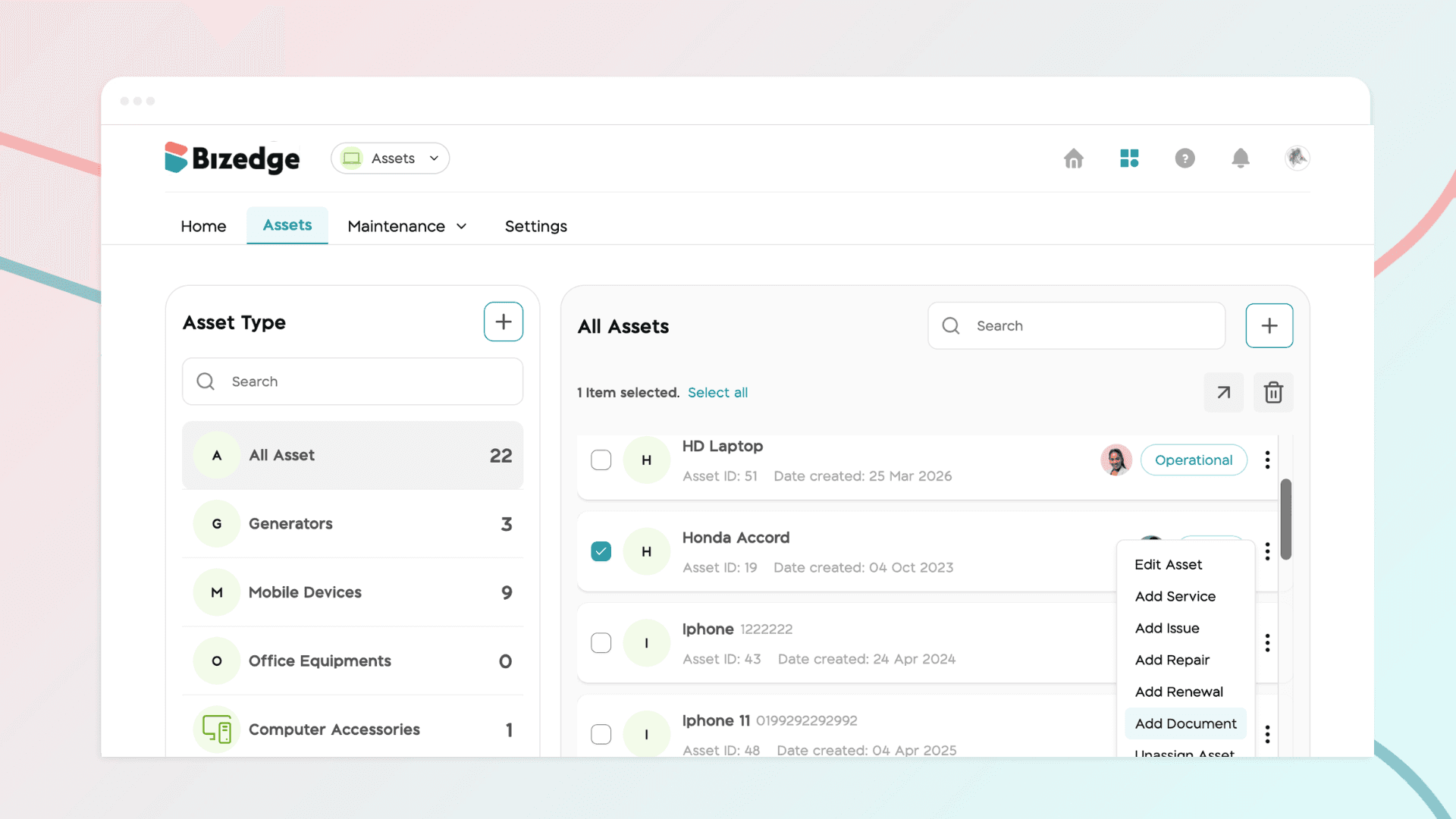
Keeping your vehicle documents up to date is essential for compliance and smooth operations. The Assets App allows you to store all vehicle-related documents in one place, set renewal reminders, and easily access them whenever needed. Here is how to do this:
Step 1: Select the Vehicle
From the Assets App dashboard, navigate to the Vehicles section and select the vehicle you would like to add a document to.
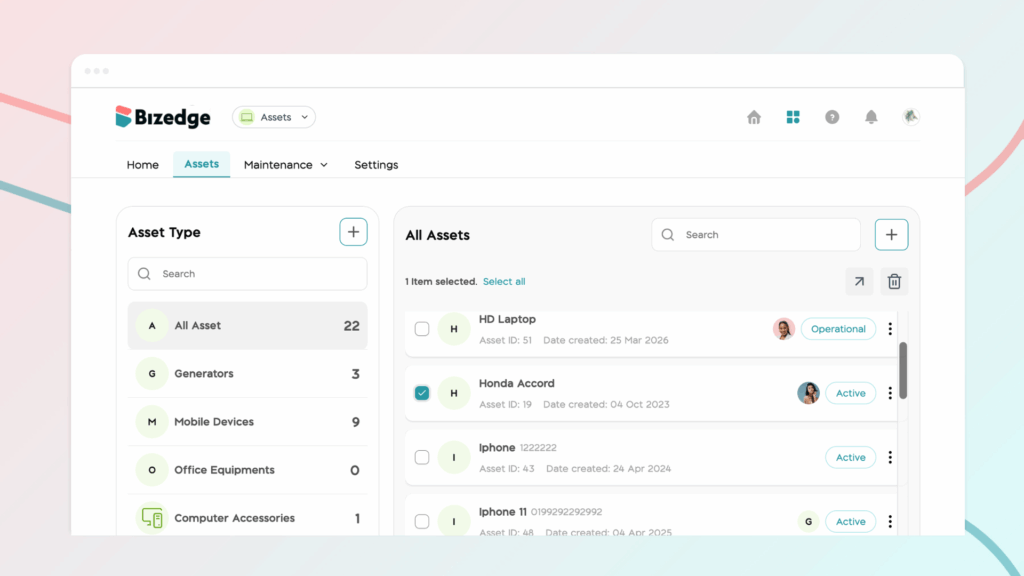
Step 2: Open the Document Form
Once the vehicle has been selected, click the Add New Document button at the far right of the vehicle's menu bar. A pop-up form will appear for you to fill in the document details.
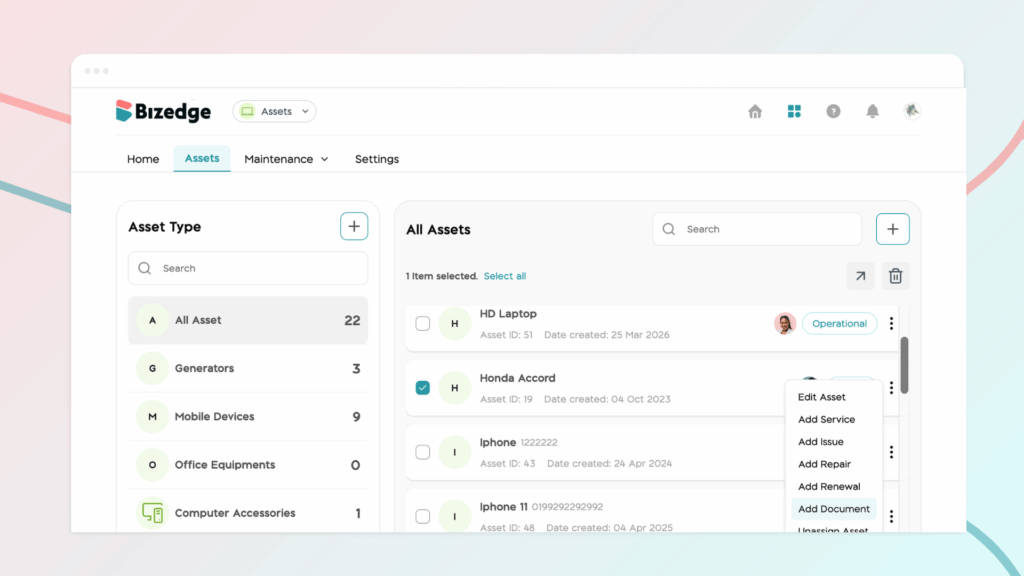
Step 3: Fill in Document Details
Complete the form by entering the document type, date, and uploading an image of the document. You can also enable a renewal reminder if you would like to be notified when the document is due for renewal.
Step 4: Save the Document
Once all the details have been filled in, click Save. The document has now been successfully added to the selected vehicle.
Step 5: View All Vehicle Documents
To view all documents that have been uploaded for a vehicle along with their due dates, click on Statutory Documents from the selected vehicle's dashboard. This gives you a clear overview of all active documents and upcoming renewals in one place.
Chinaza Okafor
Author
Comments
Leave a comment
Related posts

How to Use the MyTeam App
The MyTeam App on BizEdge helps line managers effectively oversee their teams. It provides visibility into team attendance, leave requests, time off schedules, and appraisal, making team supervision and approvals easier and more organized.
Apr 14, 2026 · 1 min read

How to Grant Line Managers Access to the MyTeam App
The MyTeam App on BizEdge helps line managers effectively oversee their teams. It provides visibility into team attendance, leave requests, time off schedules, and appraisal, making team supervision and approvals easier and more organized.
Apr 14, 2026 · 1 min read

How to Set Up Your Workspace Name on BizEdge
Your Workspace Name is how your business appears to employees across the BizEdge platform. Setting it up correctly ensures that your organization is easily recognizable to your team from the moment they log in. Follow these simple steps to update it:
Apr 14, 2026 · 1 min read