How to Bulk Update Compensation
Chinaza Okafor · Mar 31, 2026 · 1 min read
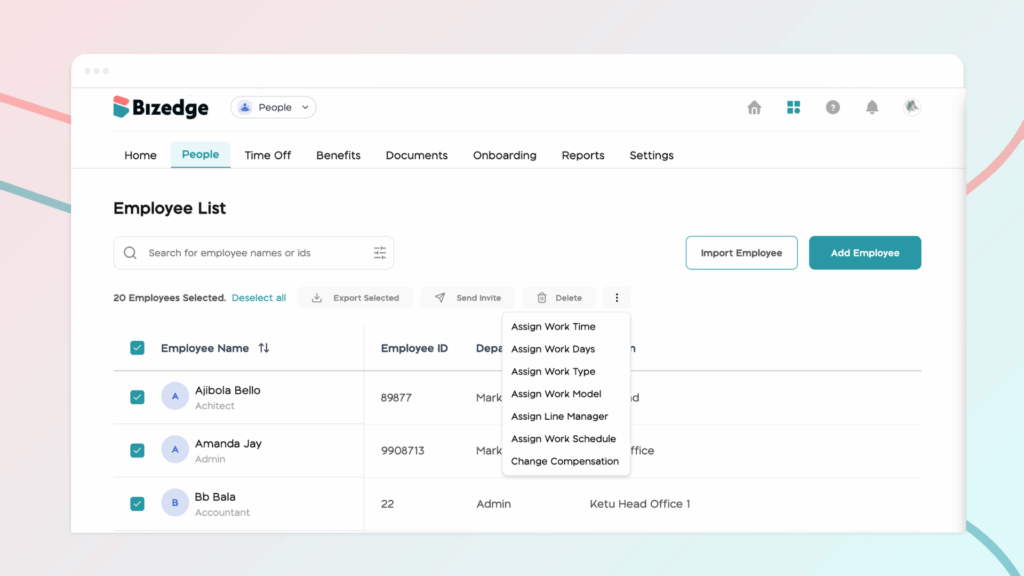
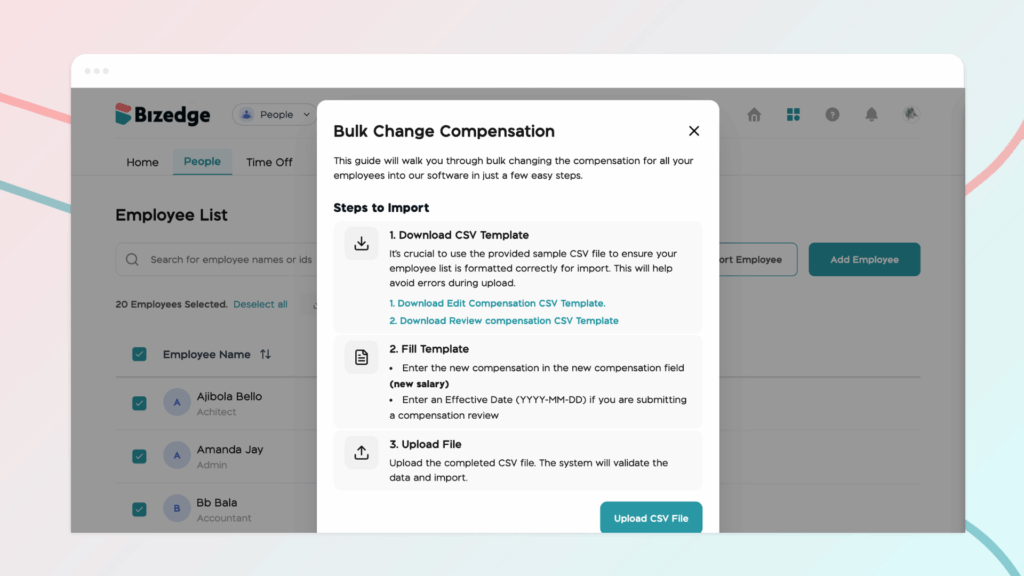
Step 1: To edit multiple employees’ salaries at once, select the employees and select ‘Change Compensation.' This will show a modal with the steps on how to edit or review employees' salaries.
Step 2: Download CSV Template
It's crucial to use the provided sample CSV file to ensure your employee list is formatted correctly for import. This will help avoid errors during upload. You can decide to download the ‘Edit CSV template’ or the ‘Review CSV template’.
Step 3: Fill Template
Enter the new compensation in the new compensation field (new salary) and enter an effective date (YYYY-MM-DD) if you are submitting a compensation review.
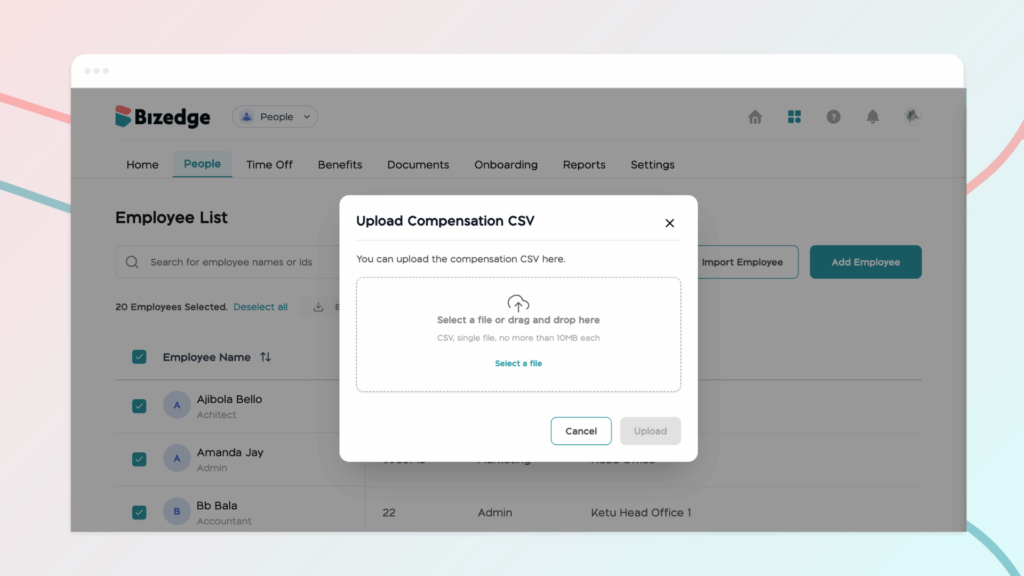
Step 4: Upload File
Upload the completed CSV file. The system will validate the data and import.
Comments
Leave a comment
Related posts

How to Use the MyTeam App
The MyTeam App on BizEdge helps line managers effectively oversee their teams. It provides visibility into team attendance, leave requests, time off schedules, and appraisal, making team supervision and approvals easier and more organized.
Apr 14, 2026 · 1 min read

How to Grant Line Managers Access to the MyTeam App
The MyTeam App on BizEdge helps line managers effectively oversee their teams. It provides visibility into team attendance, leave requests, time off schedules, and appraisal, making team supervision and approvals easier and more organized.
Apr 14, 2026 · 1 min read

How to Set Up Your Workspace Name on BizEdge
Your Workspace Name is how your business appears to employees across the BizEdge platform. Setting it up correctly ensures that your organization is easily recognizable to your team from the moment they log in. Follow these simple steps to update it:
Apr 14, 2026 · 1 min read