How to Create and Post a Job Opening on BizEdge
Chinaza Okafor · Apr 13, 2026 · 1 min read
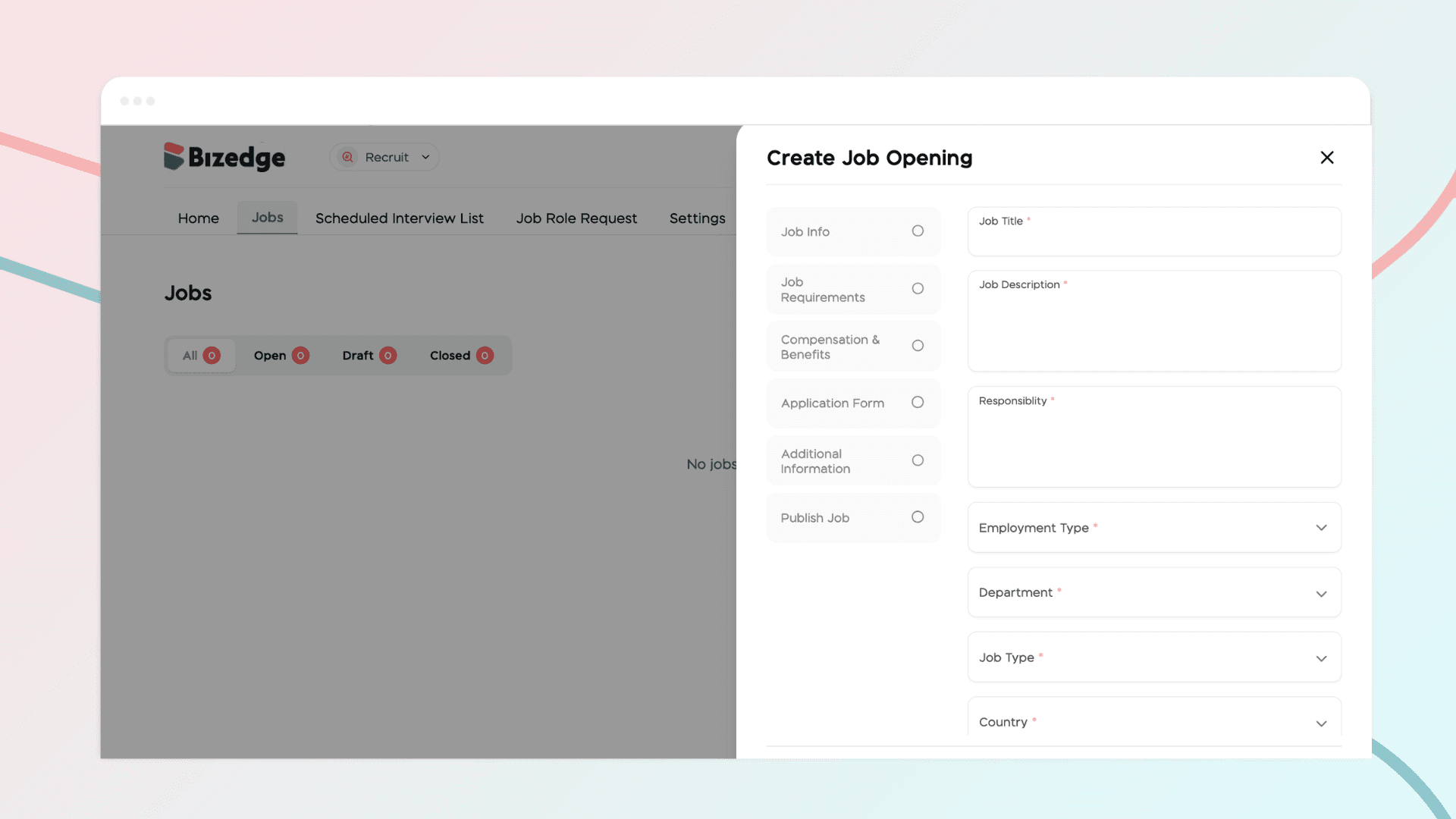
The Recruit App makes it easy to create and publish job openings directly from the BizEdge platform. You can customize the application process to suit your recruitment needs and have your job posting live and visible to candidates in just a few steps.
Step 1: Open the Recruit App
From the BizEdge dashboard, open the Recruit app and click Post a Job Opening to begin.
Step 2: Fill in Job Information
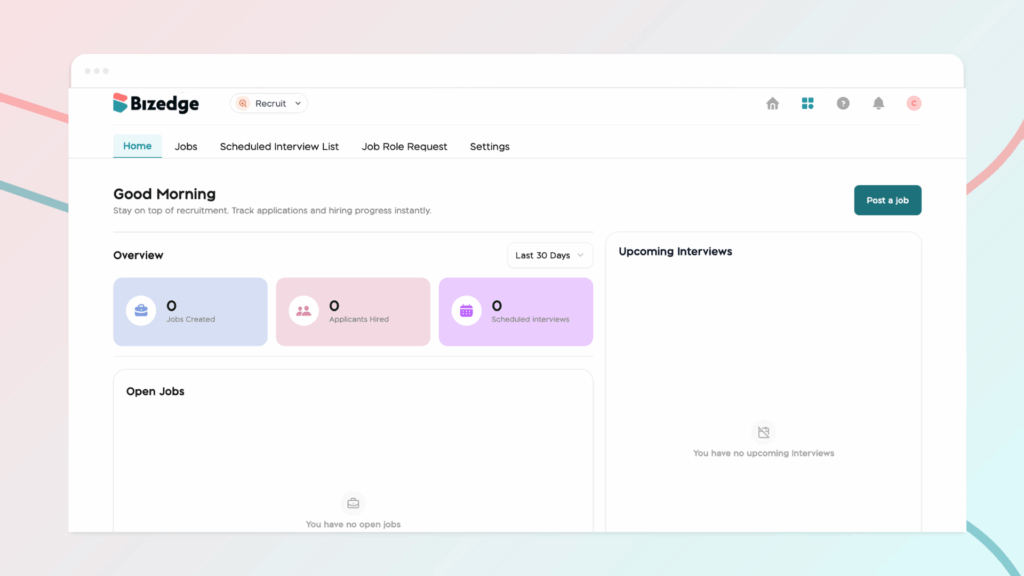
Complete all required fields in the Job Details section. This includes the job description, responsibilities, salary information, and job requirements. Ensure all details are accurate before moving on.
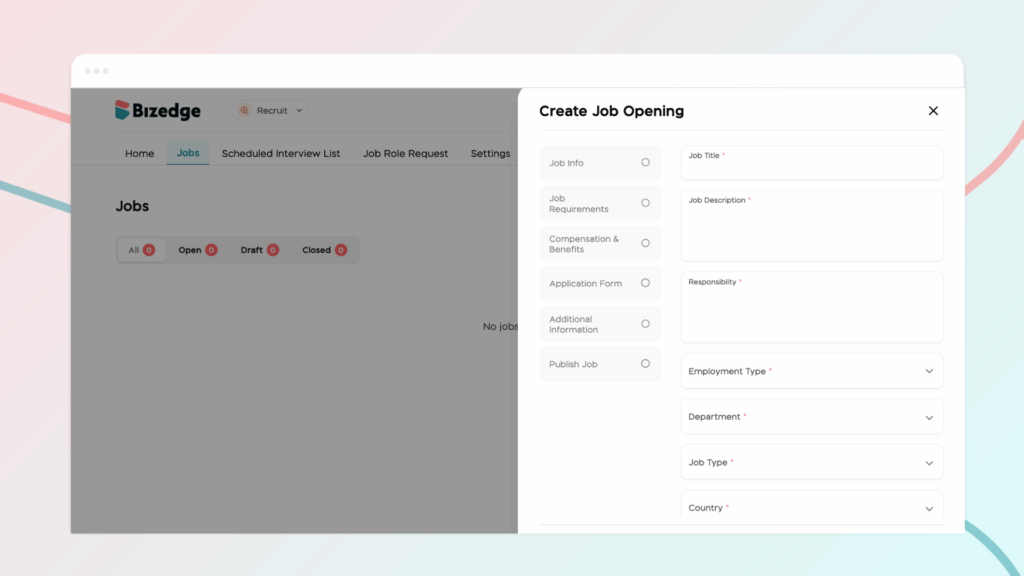
Step 3: Customize the Application Process
Tailor the application process to suit your recruitment needs. You can specify the personal details applicants must provide and choose how candidates will apply, whether through resume and document submission only, an online application form, or both. You can also request specific documents, require references, and enable the Auto Unpublish/Archive feature so the job posting automatically closes once the deadline has passed.
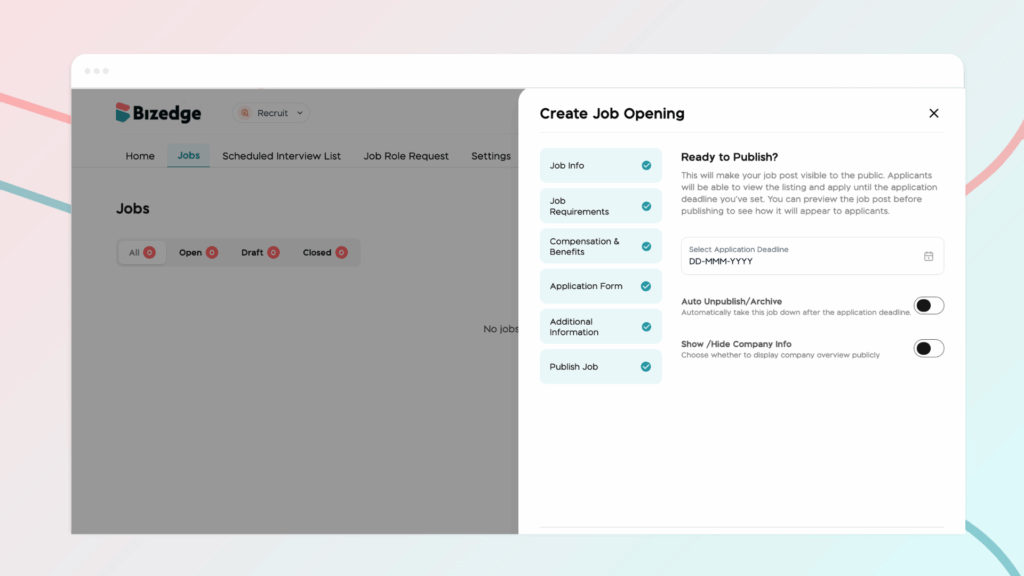
Step 4: Preview and Publish the Job
Once all details have been filled in and the application process has been configured, click Next to preview the job posting. If everything looks correct, click Publish to make the role live and visible to candidates.
Comments
Leave a comment
Related posts

How to Use the MyTeam App
The MyTeam App on BizEdge helps line managers effectively oversee their teams. It provides visibility into team attendance, leave requests, time off schedules, and appraisal, making team supervision and approvals easier and more organized.
Apr 14, 2026 · 1 min read

How to Grant Line Managers Access to the MyTeam App
The MyTeam App on BizEdge helps line managers effectively oversee their teams. It provides visibility into team attendance, leave requests, time off schedules, and appraisal, making team supervision and approvals easier and more organized.
Apr 14, 2026 · 1 min read

How to Set Up Your Workspace Name on BizEdge
Your Workspace Name is how your business appears to employees across the BizEdge platform. Setting it up correctly ensures that your organization is easily recognizable to your team from the moment they log in. Follow these simple steps to update it:
Apr 14, 2026 · 1 min read