How to Create Reference Templates
Chinaza Okafor · Apr 13, 2026 · 1 min read
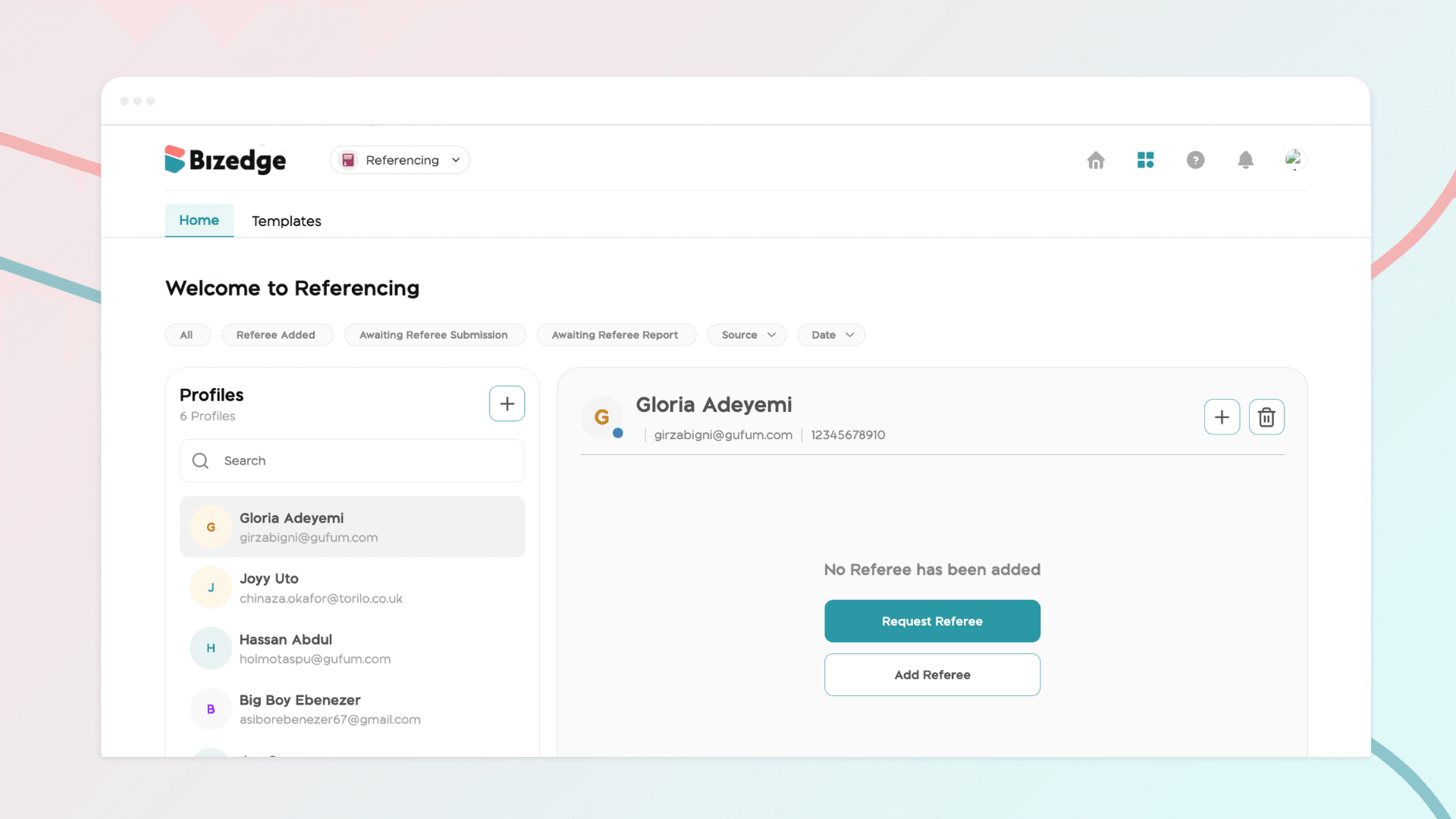
Reference templates make it quick and easy to send consistent and professional reference requests. To get started, click on Templates within the Referencing app. You can either select an existing template for a Professional or Personal reference, or create a entirely new template tailored to your recruitment needs.
Creating a New Template
Step 1: Go to the Template Section
Navigate to the Template section within the Referencing app.
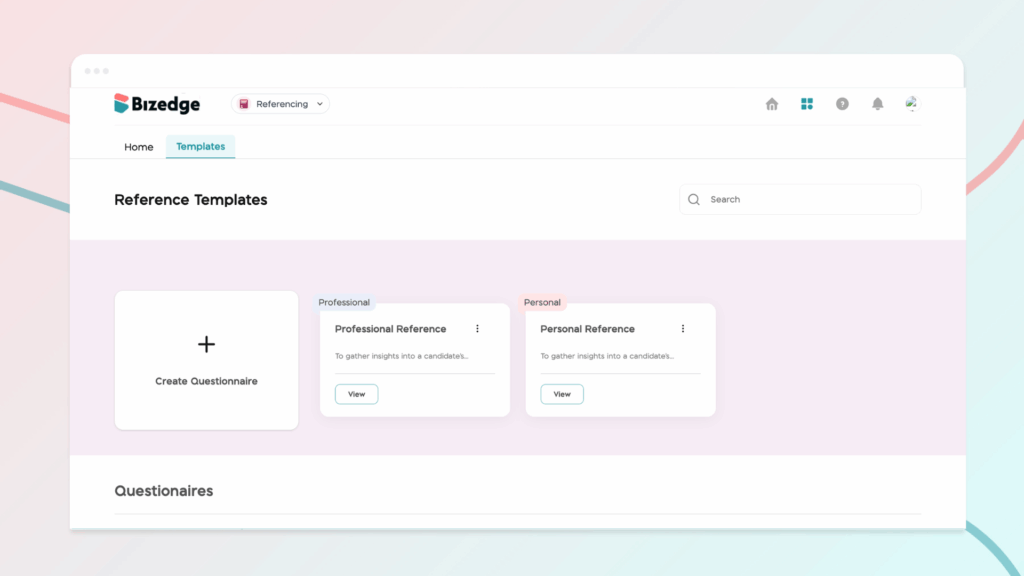
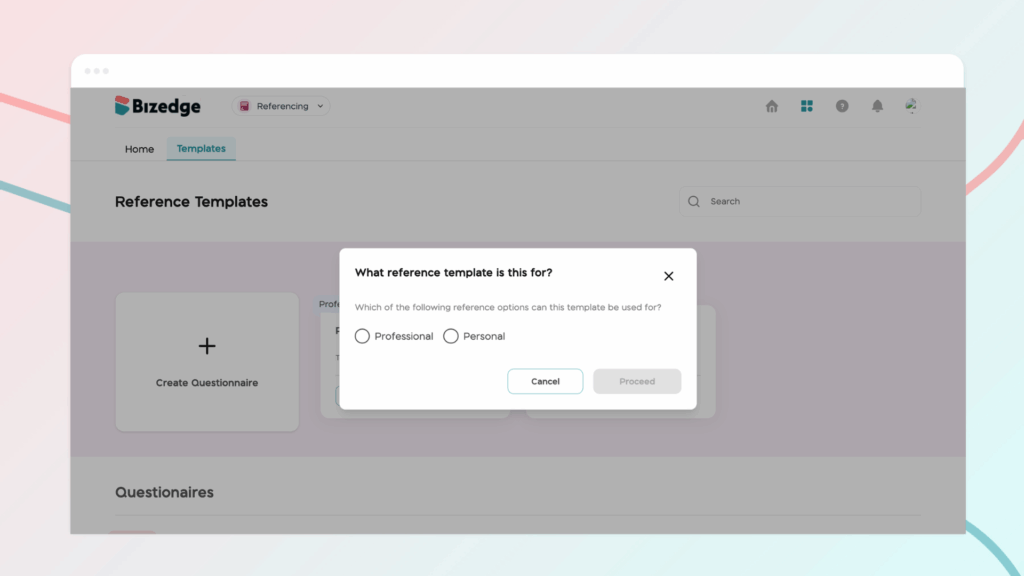
Step 2: Click 'Create Questionnaire'.
Click the Create Questionnaire button to begin building your custom template.
Step 3: Add a Title and Description
Enter a clear title and a brief description that accurately reflects the purpose of the template.
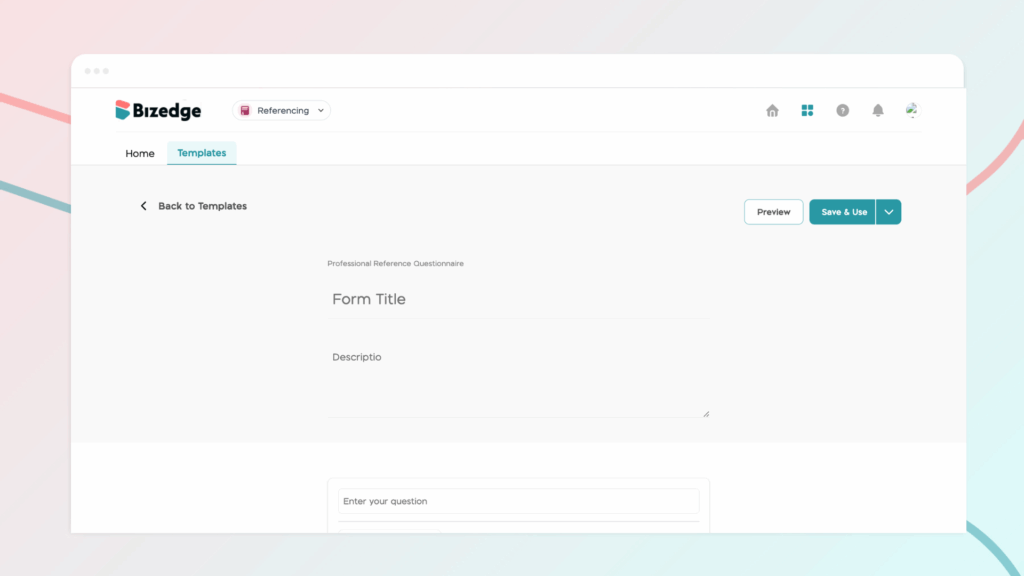
Step 4: Add Questions and Answer Formats
Add as many questions as needed, selecting the appropriate answer format for each one to suit your reference requirements.
Step 5: Save the Template
Once you are satisfied with the questionnaire, click Save to store the template for future use.
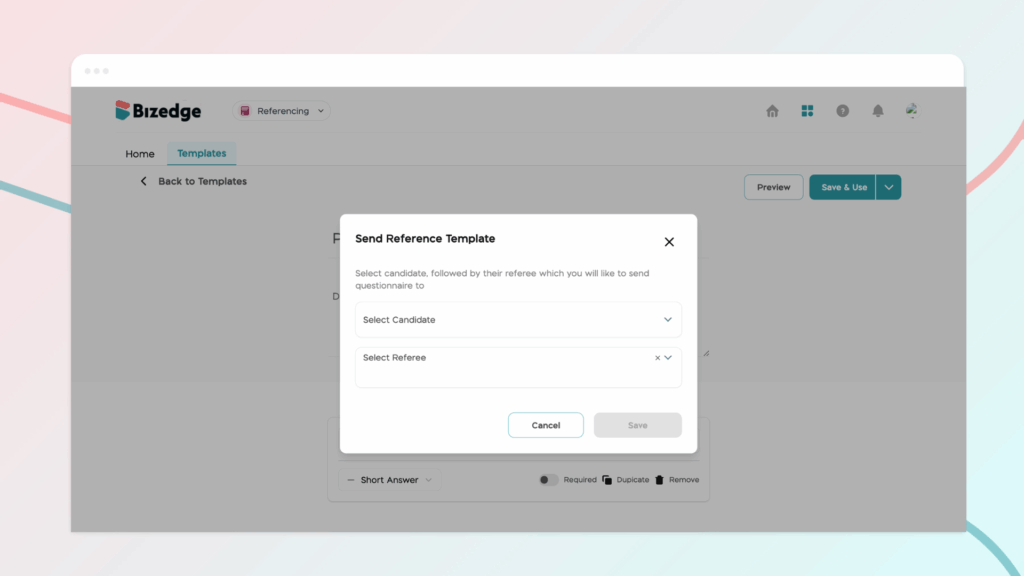
After saving, your custom template will be ready to send directly to the candidate's referee whenever needed.
Comments
Leave a comment
Related posts

How to Use the MyTeam App
The MyTeam App on BizEdge helps line managers effectively oversee their teams. It provides visibility into team attendance, leave requests, time off schedules, and appraisal, making team supervision and approvals easier and more organized.
Apr 14, 2026 · 1 min read

How to Grant Line Managers Access to the MyTeam App
The MyTeam App on BizEdge helps line managers effectively oversee their teams. It provides visibility into team attendance, leave requests, time off schedules, and appraisal, making team supervision and approvals easier and more organized.
Apr 14, 2026 · 1 min read

How to Set Up Your Workspace Name on BizEdge
Your Workspace Name is how your business appears to employees across the BizEdge platform. Setting it up correctly ensures that your organization is easily recognizable to your team from the moment they log in. Follow these simple steps to update it:
Apr 14, 2026 · 1 min read