Time & Attendance App- Overview
Chinaza Okafor · Apr 13, 2026 · 1 min read
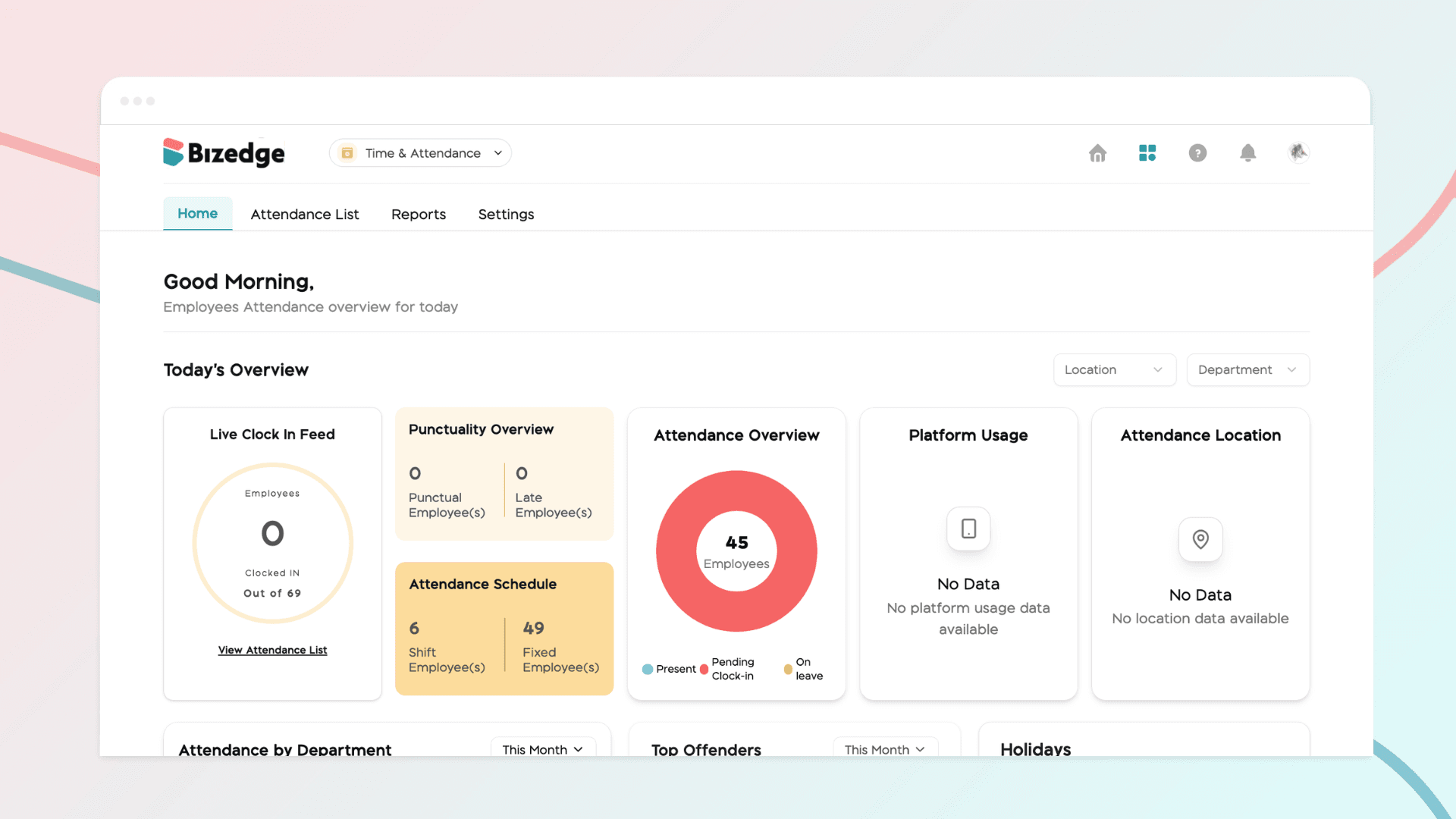
The BizEdge Time and Attendance app gives administrators and HR teams real-time visibility into employee attendance across the organization. The app is organized into four sections: Home, Attendance List, Reports, and Settings.
Home Dashboard
The Home dashboard provides a live snapshot of the day's attendance activity, including how many employees have clocked in, a punctuality overview, and a breakdown of employees by shift and fixed work arrangements. The attendance overview chart visually summarizes employees who are present, pending clock-in, or on leave. Results can be filtered by location and department for more focused visibility.
Attendance List
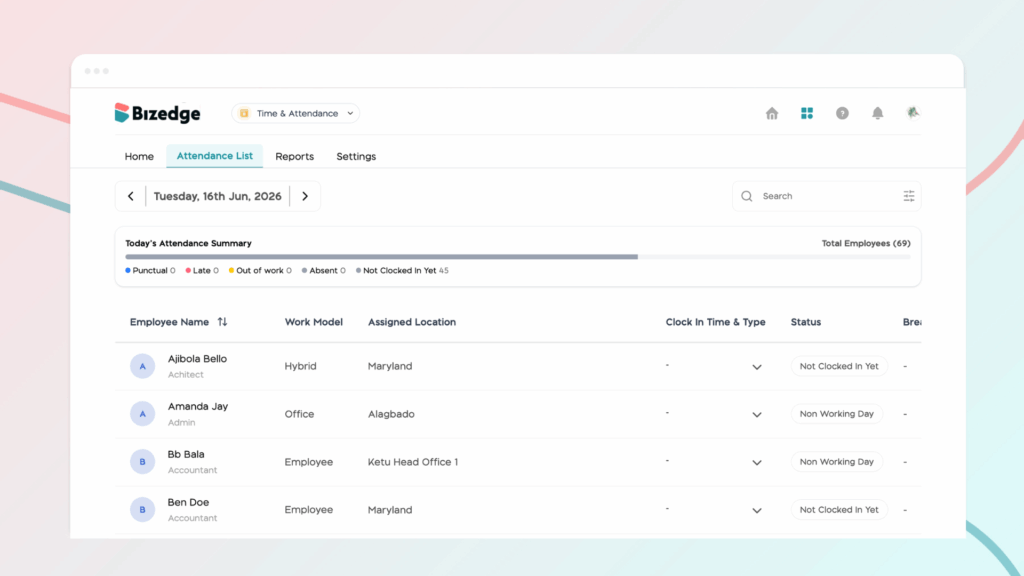
The attendance list provides a date-by-date record of each employee's attendance, displaying their work model, assigned location, clock-in time and type, status, and break duration. A summary bar at the top gives a quick breakdown of punctual, late, absent, and not yet clocked-in employees for the selected day.
Reports
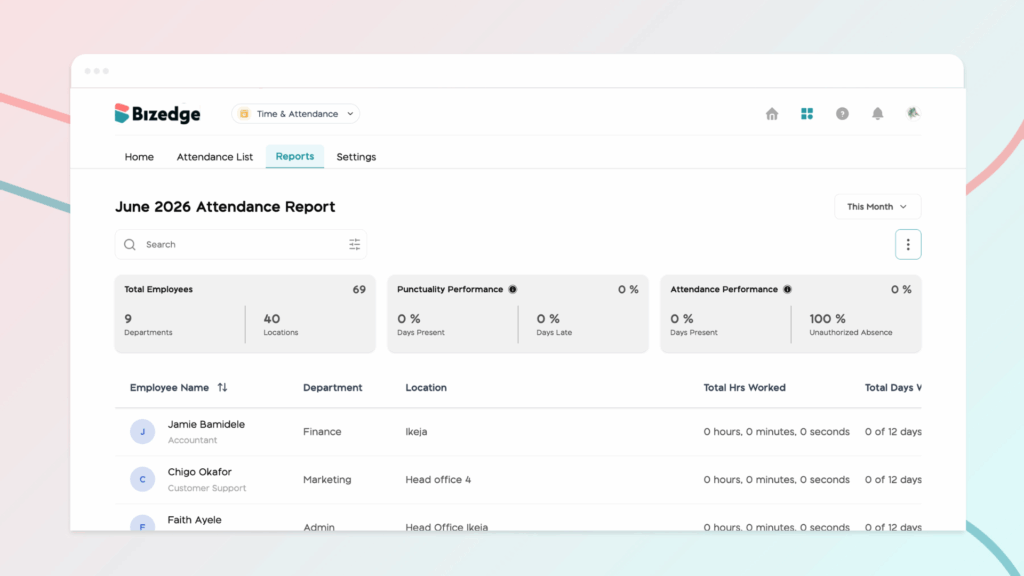
The Reports section provides monthly attendance reports covering key metrics such as punctuality performance, attendance performance, total hours worked, days punctual, days late, and unauthorized absences. Reports can be filtered by time period and exported for further analysis.
Settings
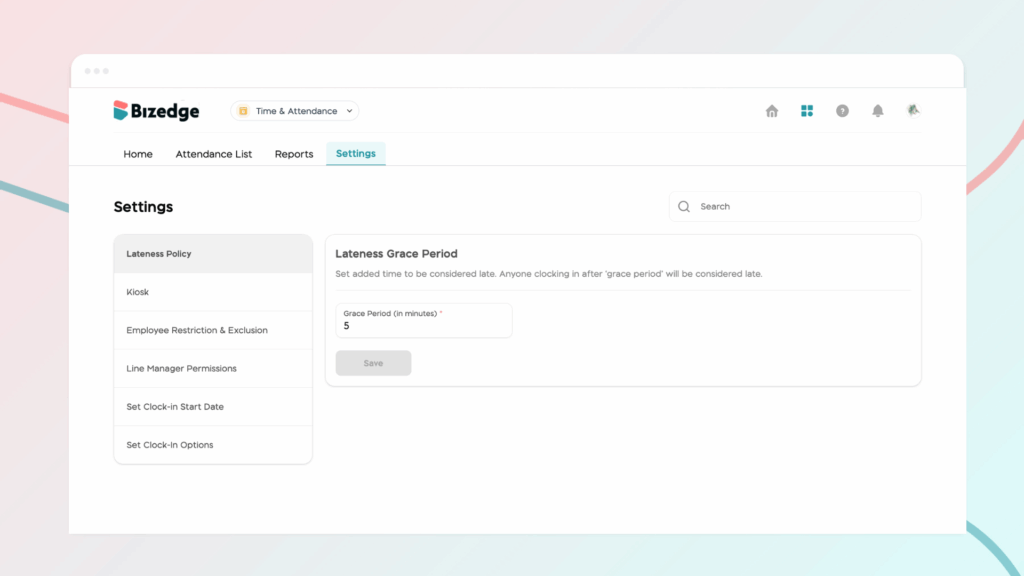
The Settings section allows administrators to configure the Lateness Policy, manage Kiosk access for each company location, set Clock-In Options and Start Date, define Line Manager Permissions, and control Employee Restriction and Exclusion settings.
Comments
Leave a comment
Related posts

How to Use the MyTeam App
The MyTeam App on BizEdge helps line managers effectively oversee their teams. It provides visibility into team attendance, leave requests, time off schedules, and appraisal, making team supervision and approvals easier and more organized.
Apr 14, 2026 · 1 min read

How to Grant Line Managers Access to the MyTeam App
The MyTeam App on BizEdge helps line managers effectively oversee their teams. It provides visibility into team attendance, leave requests, time off schedules, and appraisal, making team supervision and approvals easier and more organized.
Apr 14, 2026 · 1 min read

How to Set Up Your Workspace Name on BizEdge
Your Workspace Name is how your business appears to employees across the BizEdge platform. Setting it up correctly ensures that your organization is easily recognizable to your team from the moment they log in. Follow these simple steps to update it:
Apr 14, 2026 · 1 min read