
How to Create Reference Templates
How to Create and Post a Job Opening on BizEdge
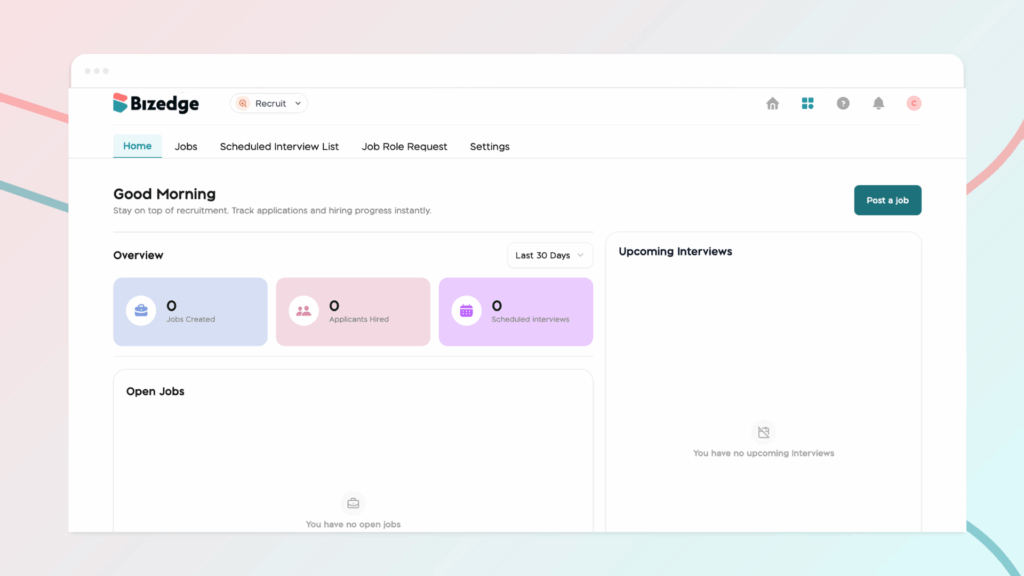
The BizEdge Recruit App is an end-to-end recruitment management tool that helps companies oversee their entire hiring process from a single platform. From posting job openings to evaluating final candidates, the app gives hiring teams full visibility and control over every stage of recruitment.
Applicant Tracking Dashboard
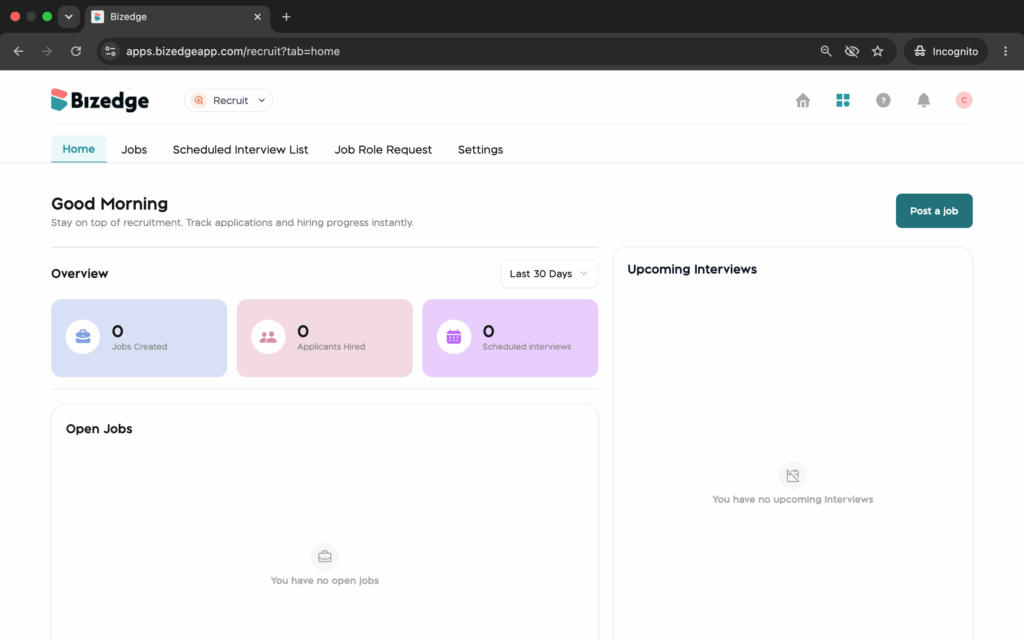
At the core of the Recruit App is a centralized ATS dashboard that provides a real-time snapshot of all recruitment activity. Users can monitor active vacancies, track candidate progress across all stages, and take quick actions, all from one place.
Job Posting and Publishing
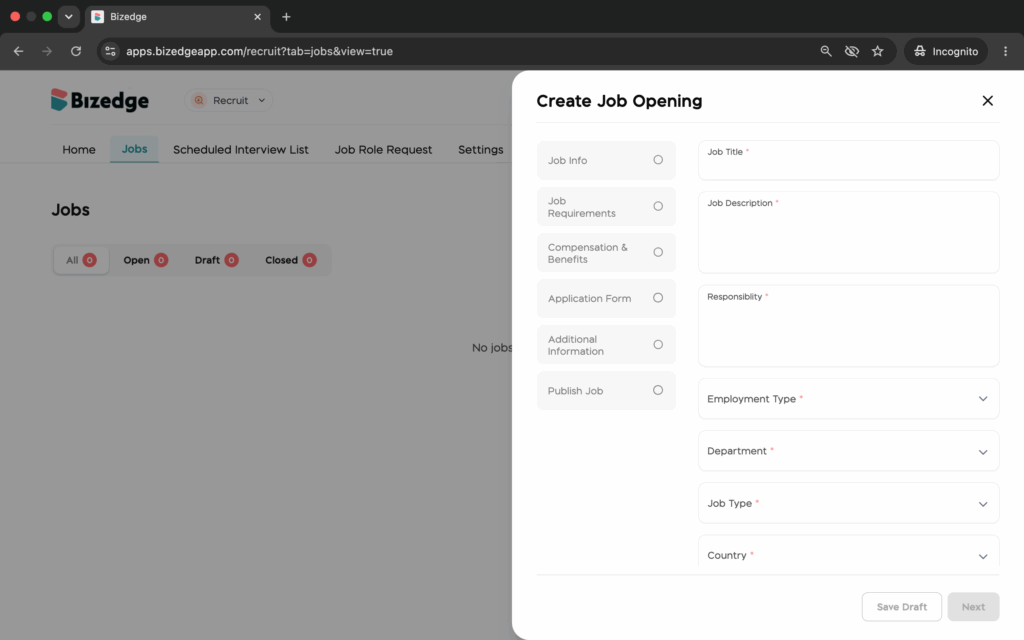
Users can create job postings by filling in all relevant details including the description, responsibilities, requirements, and salary. The application process is fully customizable, allowing teams to specify submission requirements, request documents or references, and enable auto-closing after a deadline. A preview is available before publishing.
Application Review and Candidate Management
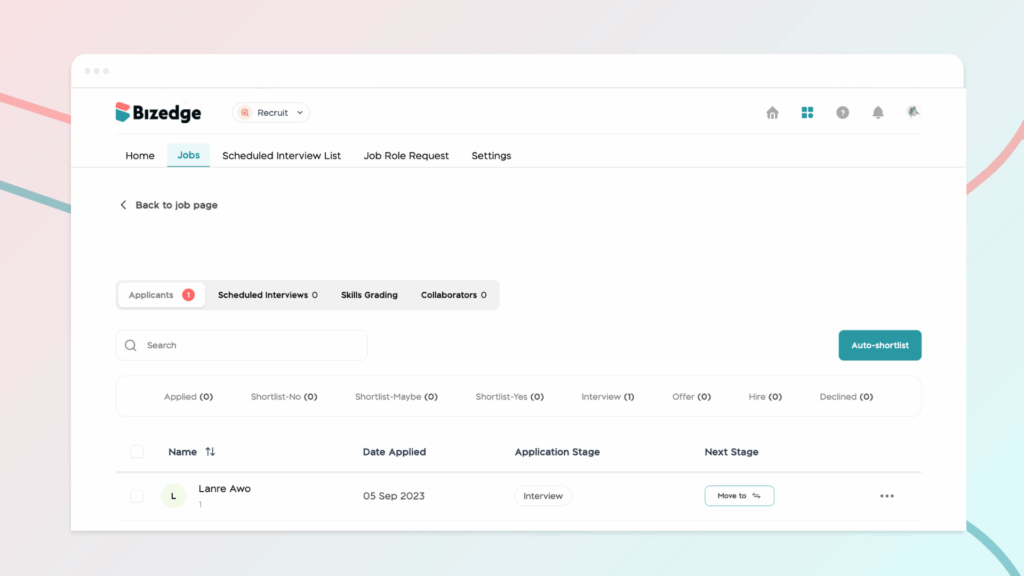
All incoming applications can be viewed and managed from the Applicants tab. The Auto Shortlist feature automatically categorizes candidates as a poor, average, or good match, while individual profiles provide full access to personal details, work history, qualifications, and submitted documents.
Interview Scheduling and Collaboration
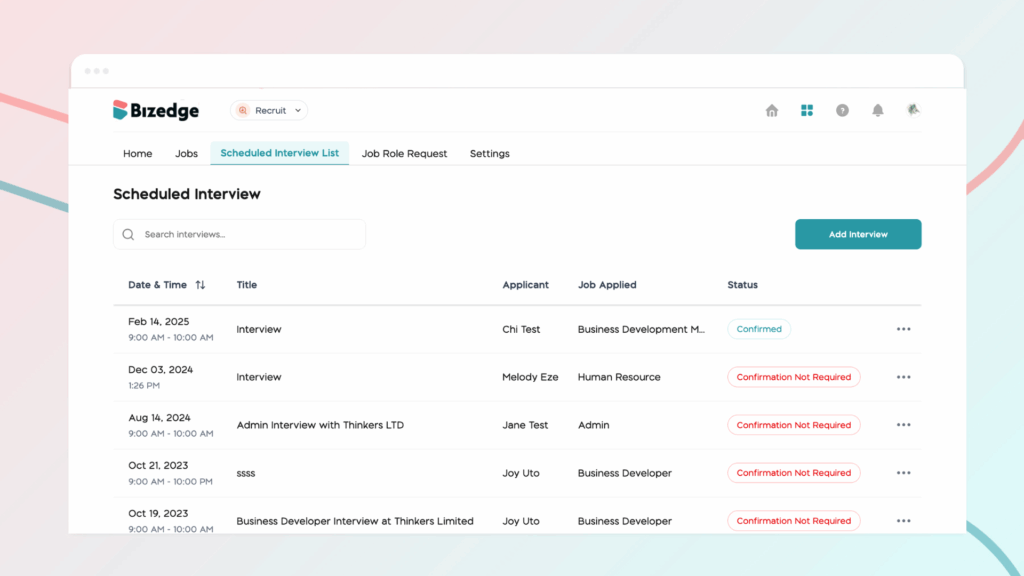
Teams can schedule interviews, move candidates through hiring stages, add collaborators, leave notes, and send offer letters directly within the app. Integration with tools like Zoom allows automatic generation of meeting links and calendar invitations.
Candidate Evaluation with Scorecards
The scorecard feature enables consistent candidate evaluation by allowing hiring managers to define skills and grading criteria per role. After interviews, structured scorecards can be completed and compared side by side to support objective hiring decisions.