
How to Accept Profile Update Request
How to Upload Rent Relief Information for an Employee
Step 1: To create and assign a time-off policy, navigate to the People App. From there, proceed to the Time-Off section and click on Create New Time-Off Policy to begin setting up a new leave policy.
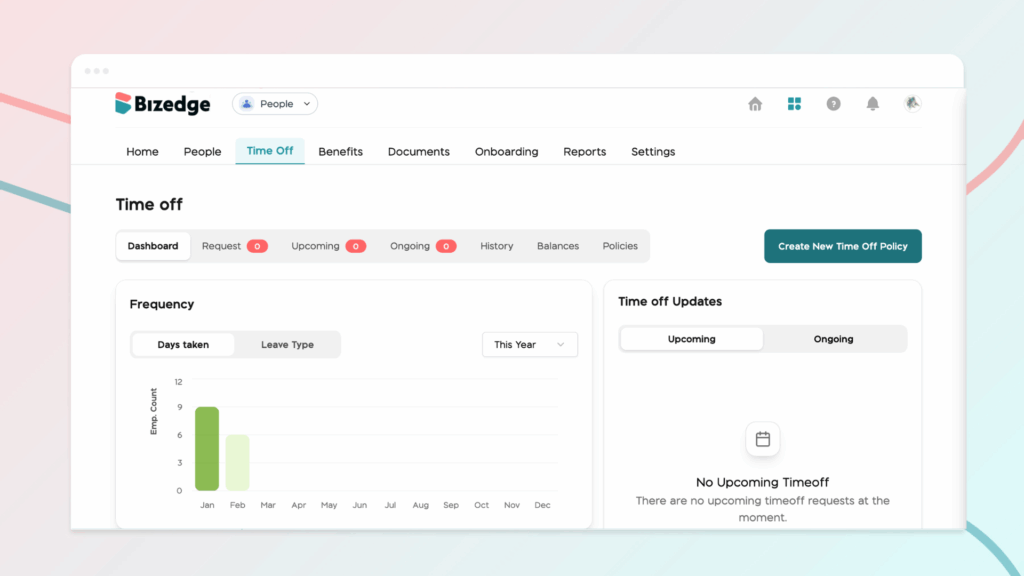
This option opens a form where you can define the rules and structure that will govern how employees request and use their leave.
Step 2: Proceed to enter the policy title and description.The title clearly identifies the type of leave, while the description provides additional context about the purpose or conditions of the policy.
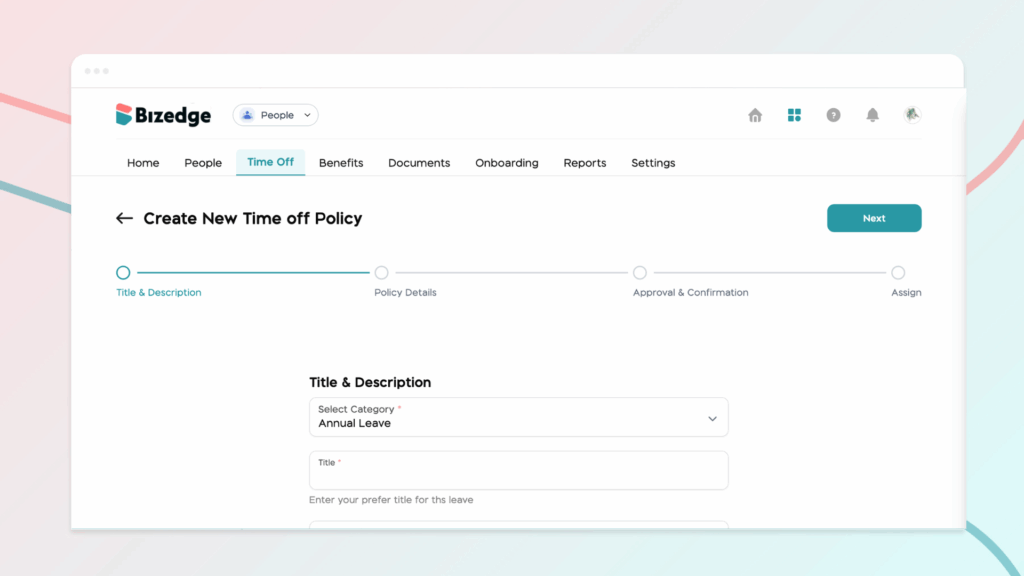
Step 3: After that, complete the policy details by configuring important settings, which determine how many days employees are allowed to take under the policy. You will also set up the approval workflow, which defines who must review and approve leave requests, as well as confirmation settings that control how leave requests are confirmed within the system.
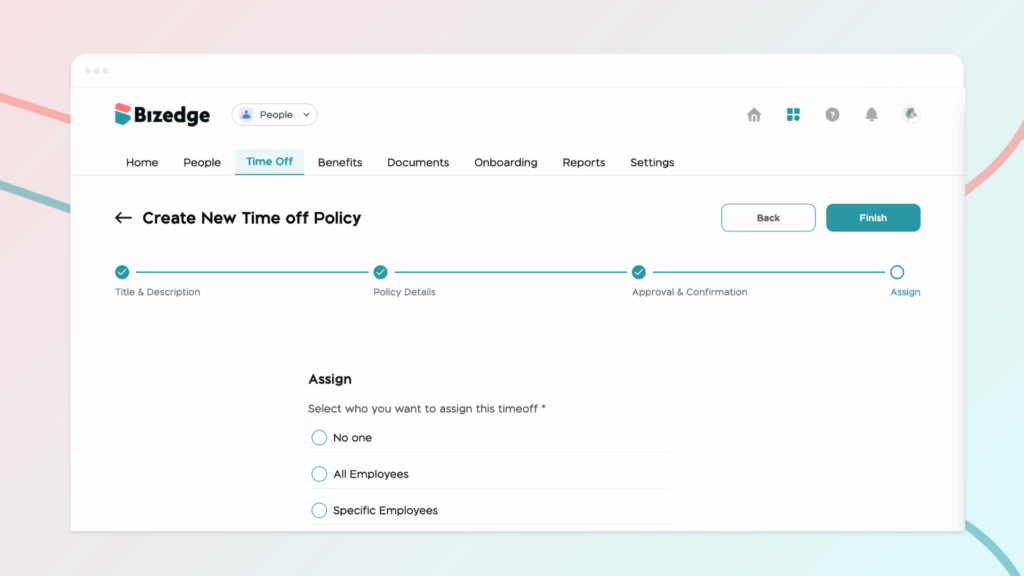
Step 4: Once all the information has been entered, review the policy details carefully and fill the approval and confirmation of the leave policy. Then click Next to finalize the setup.
Step 5: Finally, assign the policy to the appropriate employees. This ensures that employees are properly linked to the correct time-off entitlements within the system.



