
How to Setup People Access Levels
BizEdge Payroll App Overview
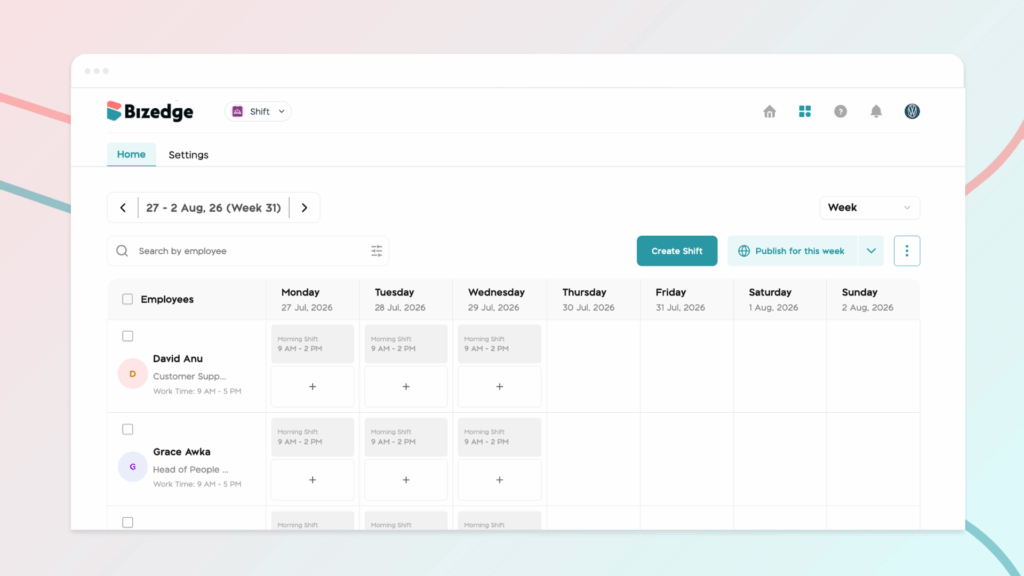
If an employee on a shift schedule is unable to request leave, it is usually because they have not been assigned a work schedule for the days they intend to take off.
For shift employees to successfully request leave or time off, a work schedule must first be assigned to them for the specific period they plan to be away. If there is no schedule assigned for those selected dates, the system will not allow them to submit a leave request. Firstly, ensure the employee’s shift schedule is properly assigned for the intended leave period before they attempt to request time off.
Secondly, set up your time off configuration, and here’s how to do this:
Click on the Settings page from the People app and select Time-off configuration.
Click on the time off setup you’d prefer; the Shift mode allows time off requests only for public shifts, and the Flexible mode allows time off requests regardless of the shifts assigned to the employee.
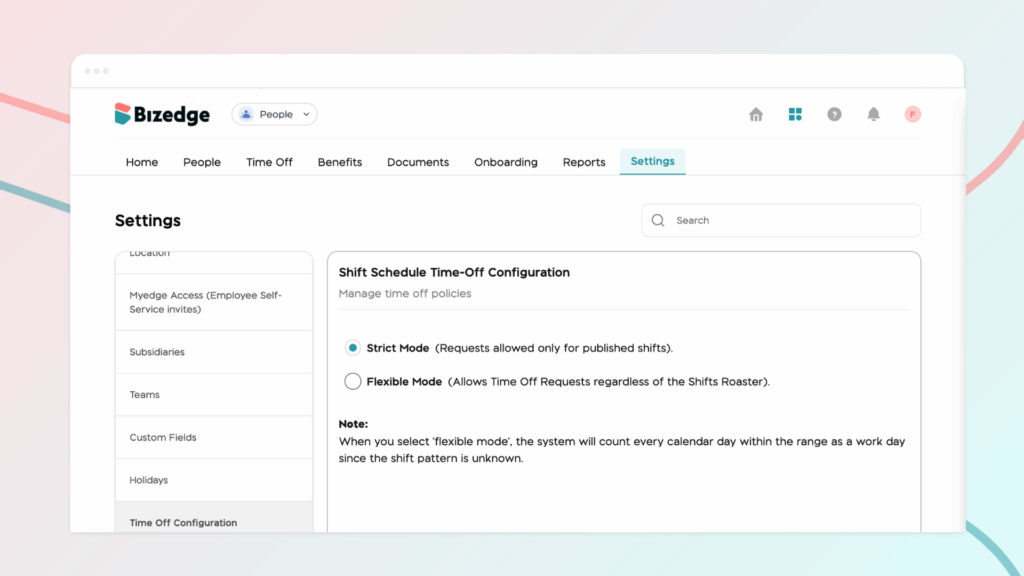
Note: When you select ‘flexible mode,’ the system will count every calendar day within the range as a work day since the shift pattern is unknown.



