
Employees Unable to Request Leave because of Shift Schedule

How Nigerian Businesses Can Manage Employee Time-off Requests Better
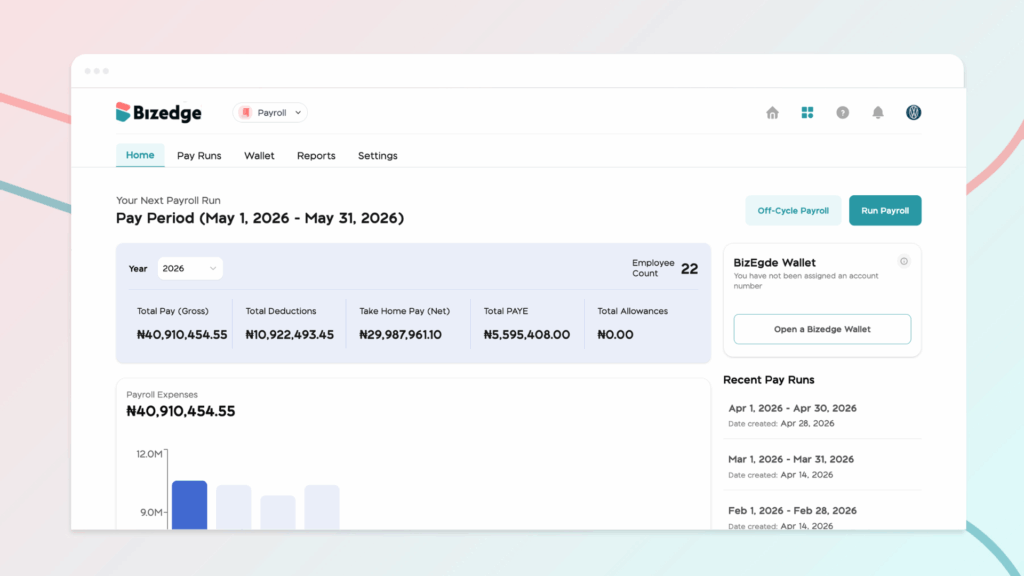
The Payroll Home Page in BizEdge serves as a centralized dashboard where HR and payroll administrators can view key payroll metrics, access payroll operations, and manage important payroll settings. Each section of the dashboard is designed to make payroll management easier, transparent, and efficient.
1. Payroll Home Page
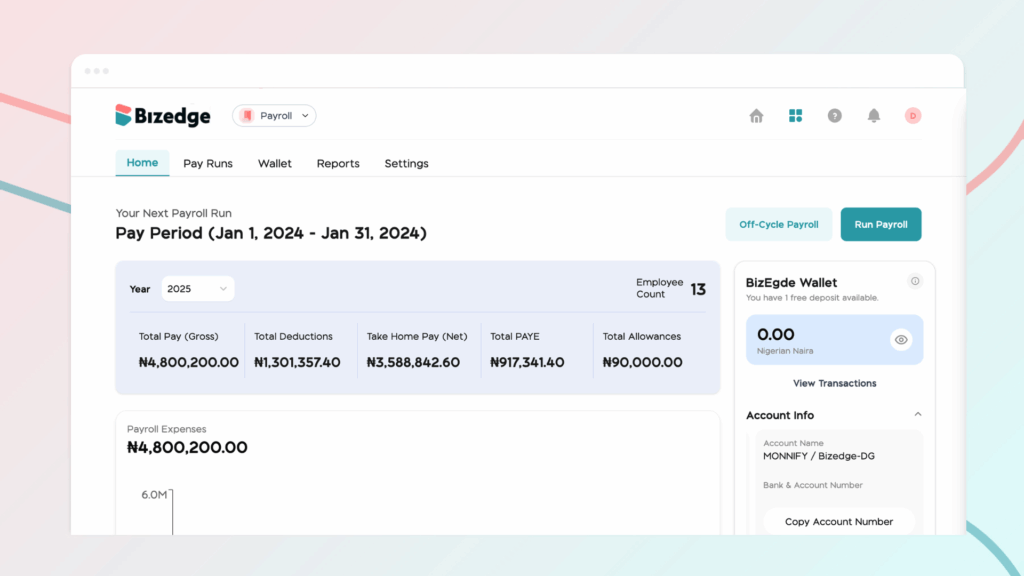
The dashboard provides an at-a-glance overview of your current payroll data, helping you quickly assess the financial impact of each pay run. Key elements include the following:
Gross Pay – This represents the total earnings for all employees before any deductions. It includes base salaries, allowances, bonuses, and other additions.
Total Deductions – Displays the combined total of statutory deductions (e.g., PAYE, NHF, pension) and any custom deductions set by your organization.
Net Pay – Shows the actual amount employees will receive after all deductions are applied. This is critical for planning disbursements accurately.
Run Payroll / Off-Cycle Payroll – From the dashboard, you can quickly initiate a regular payroll or an off-cycle payroll to process additional payments, corrections, or special disbursements outside the normal payroll schedule.
The dashboard allows you to stay informed at a glance and ensures you can act quickly whenever payroll processing is required.
2. Pay Run
This section provides a detailed history of all payroll runs, giving administrators full visibility into past payments. Key features include:
- Viewing all previous pay runs with their corresponding pay periods
- Checking payroll status (e.g., processed, pending, or approved)
- Reviewing the breakdown of each pay run, including total gross pay, deductions, and net pay
- Tracking which employees were included in each pay cycle
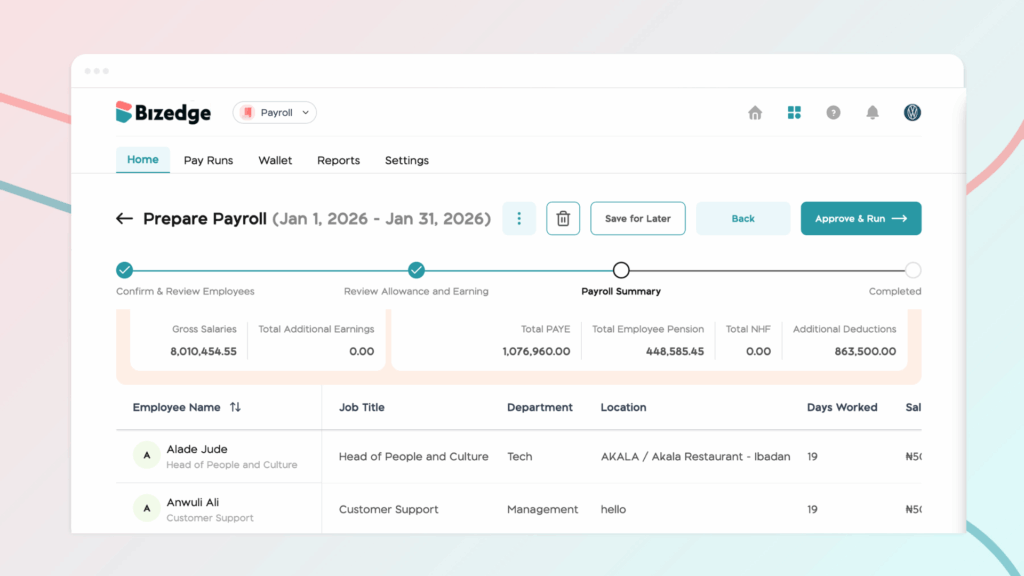
This helps ensure payroll transparency, audit readiness, and accurate record-keeping.
3. BizEdge Wallet
The BizEdge Wallet section gives you a clear view of your company’s payroll funds and transactions.
Here’s what you can do:
- Checking wallet balance to ensure sufficient funds for salary disbursement
- Viewing a transaction history, including top-ups, payments, and adjustments
- Tracking payments made to employees through the wallet
- Ensuring accountability and proper fund management for all payroll-related payments
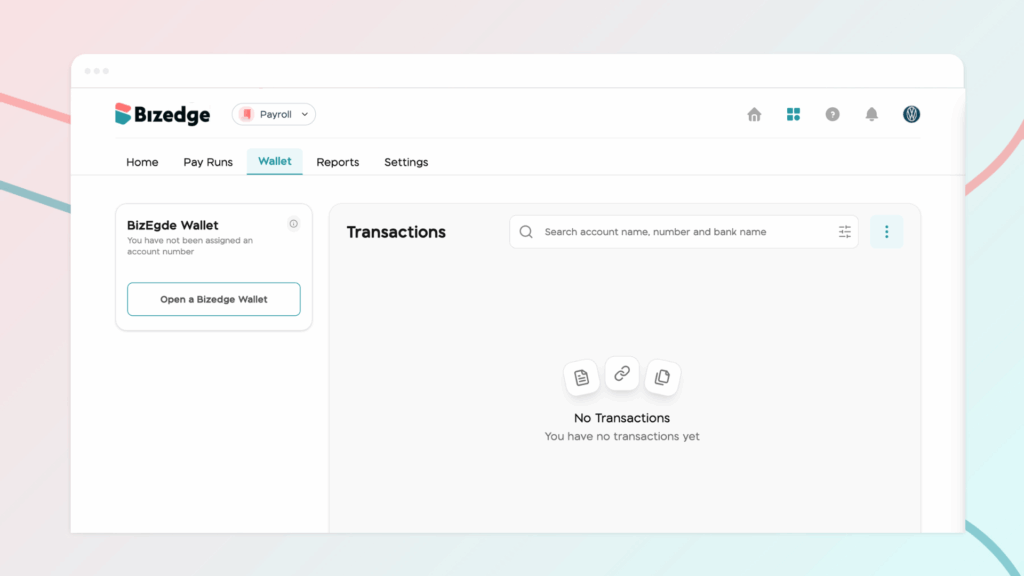
Having a dedicated wallet section ensures that funds are always tracked and that payments are smooth and secure.
4. Reports
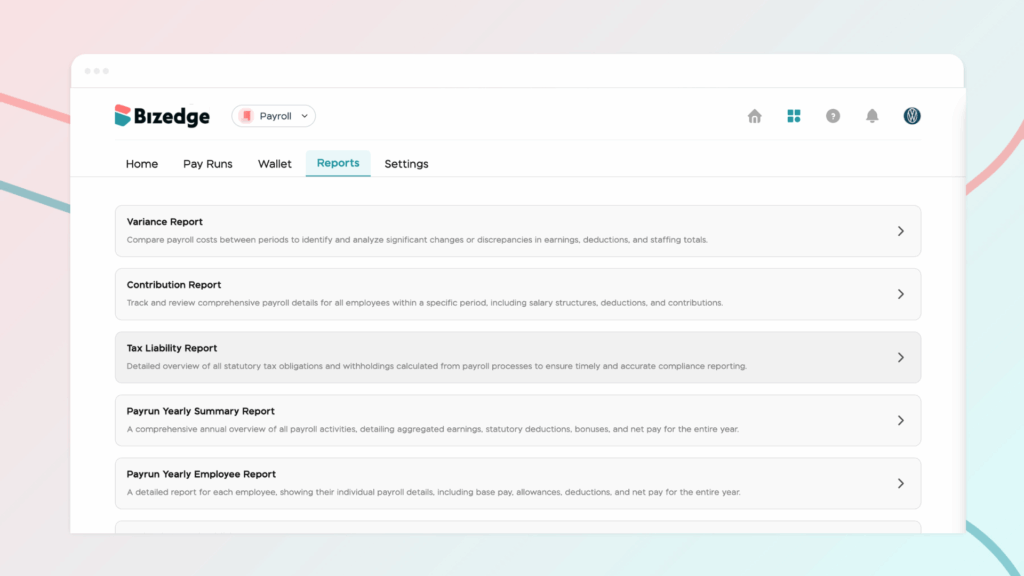
The Reports section provides insight into payroll trends and employee compensation data. Reports enable organizations to make informed decisions and maintain compliance with statutory and internal policies.
5. Settings
The Settings section allows administrators to configure the foundational aspects of payroll. Key features include:
- Pay Period Setup – Define the frequency and schedule of payroll runs (monthly, bi-weekly, weekly, etc.)
- Statutory Deductions – Configure mandatory deductions such as Pension, PAYE, and NHF for all or selected employees
- Custom Additions and Deductions – Set up bonuses, allowances, or loan deductions as required
Other Payroll Preferences – Customize salary structures, approval workflows, and any other organization-specific payroll rules.
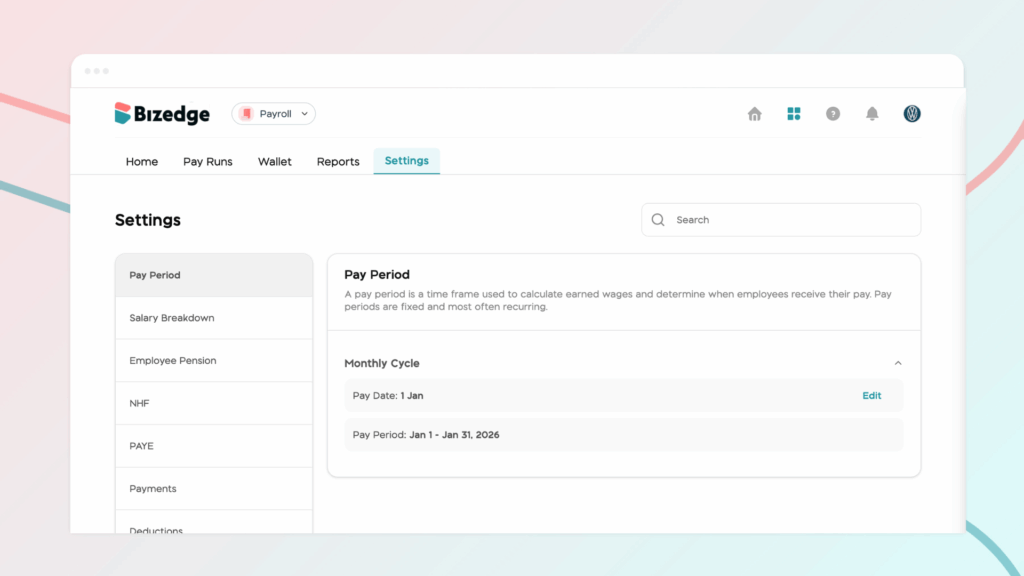
The Settings section ensures that payroll calculations are accurate, compliant, and aligned with your company policies.
The BizEdge Payroll app provides everything you need to manage your payroll efficiently, from an overview of employee earnings and deductions to detailed reports, wallet management, and payroll settings.



