How to Manage Documents
How to Onboard a New Hire
Step 1: To send an invitation to employees, navigate to the People section within the People App on the BizEdge Dashboard.
Step 2: Select the employees you wish to send an invite to by choosing them from the employee list. Selecting the employees ensures that the invitation is sent to individuals who need access to the system.
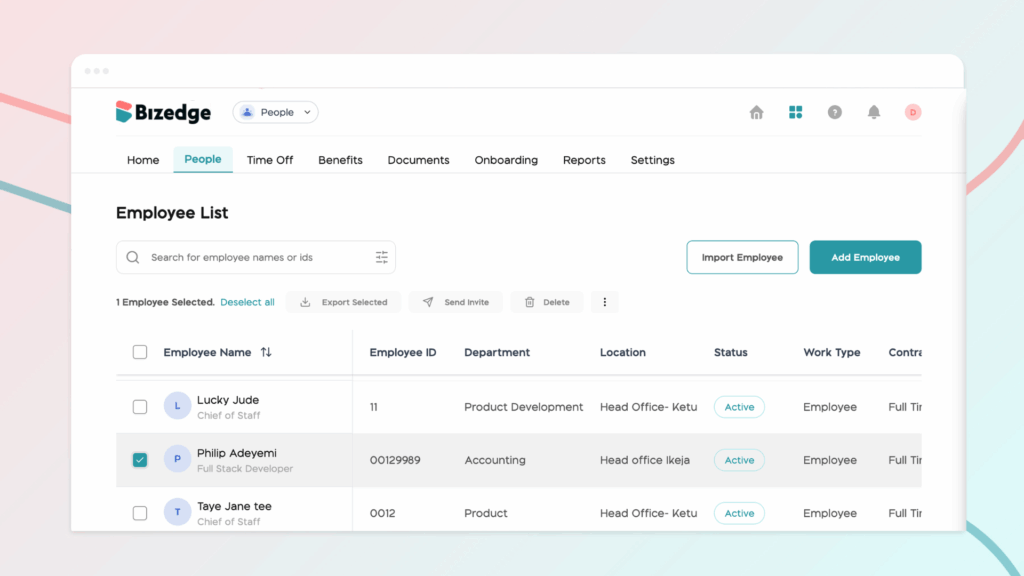
Step 3: After selecting the employees, locate and click the option labeled “Send Invite” to deliver the invitation to the selected employees. Once the invitation is sent, the employees will receive a notification or email prompting them to accept the invitation and complete their account setup to access the system.
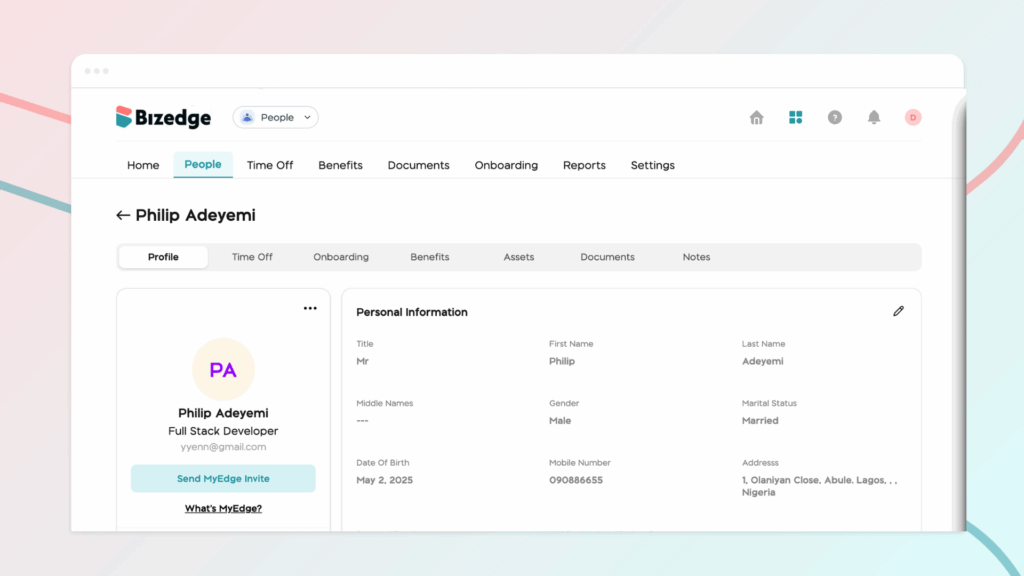
You can also send MyEdge invites by selecting employees from the employee list from the People section and clicking on the Send Invite button at the top of the list.