
How to Import Bank Information
How to Bulk Assign Work Details
Step 1: After adding a new employee, navigate to the People App and go to the Employee Profile section. Select the newly added employee’s profile to update and complete the necessary information across the different sections to ensure the employee’s records are accurate and complete.
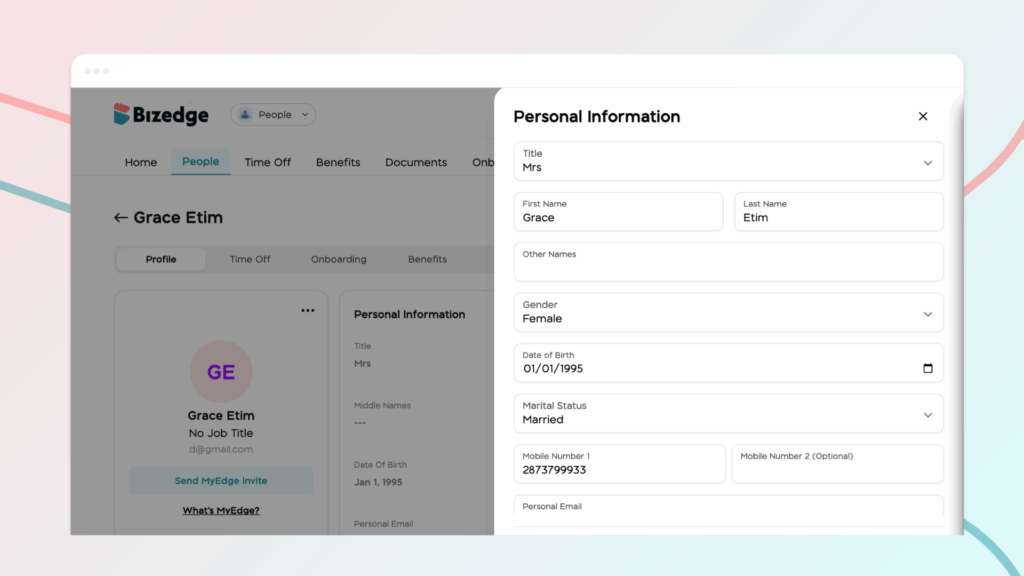
Step 2: Begin with the Personal Information section. This area contains the employee’s basic personal details. Keeping this information accurate helps maintain proper identification and communication with the employee.
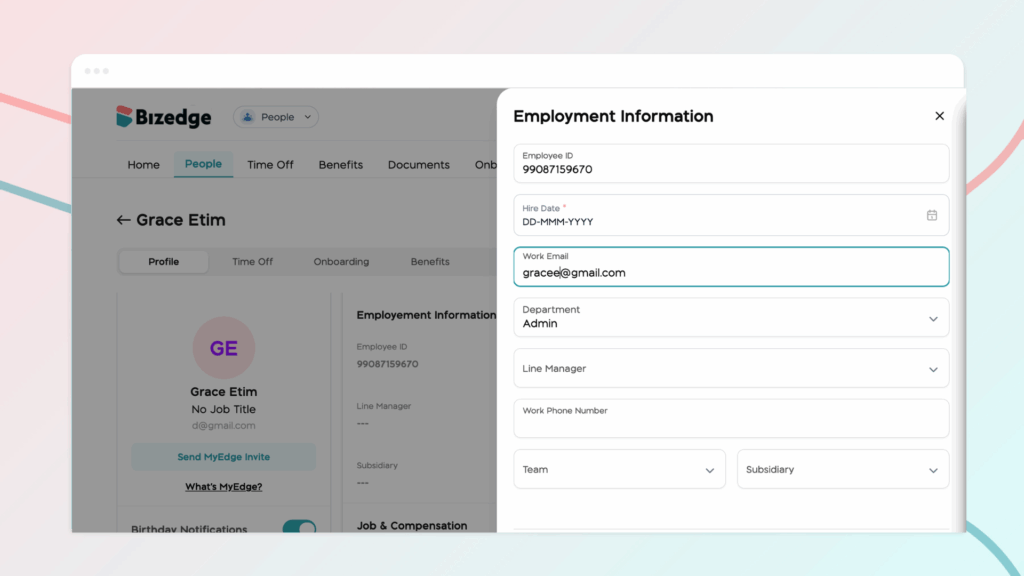
Step 3: Update the Employment Information section. This section includes details about the employee’s role within the organization. These details help define the employee’s position within the company structure and ensure proper organizational reporting.
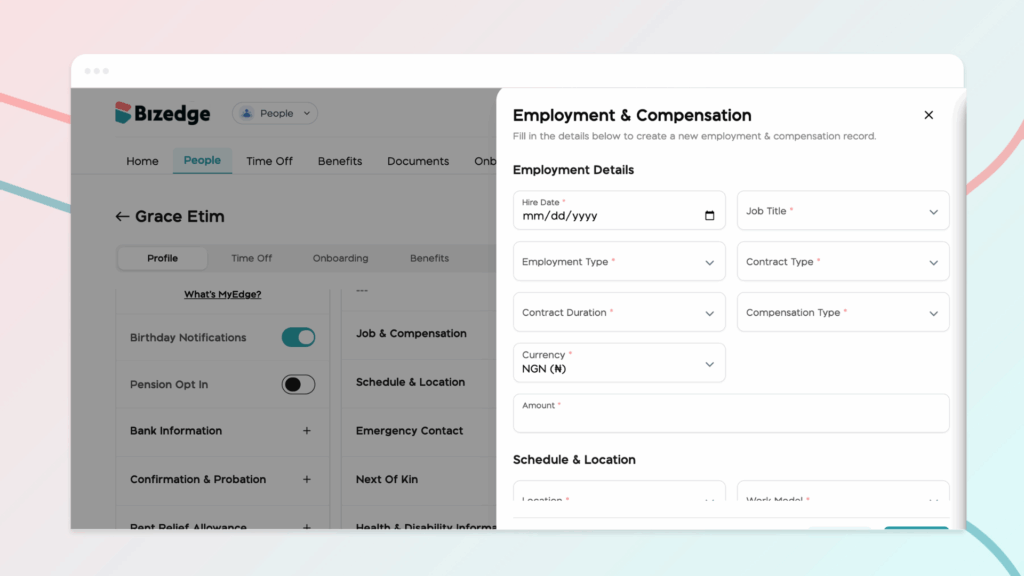
Step 4: Proceed to the Job & Compensation section. Here you will enter information related to the employee’s salary or compensation structure.
Step 5: Then review the Work Schedule section. In this part, you assign the employee’s working pattern. Setting the correct schedule ensures proper tracking of attendance, shifts, and leave requests.
Step 6: Complete the Emergency Contact and Next of Kin section by adding the name, relationship, and contact details of a person who should be contacted in case of an emergency involving the employee. Follow this pattern for other sections like the bank and pension information, health and disability, education history, etc.
Once all sections are properly updated and reviewed, save the changes to ensure the employee’s profile is fully completed and up to date.



