
How to Setup Payroll Additions and Deductions
Handling Payroll for New Starters Mid-Period
Off-cycle payroll is used for payments outside your regular payroll schedule. This may apply in special salary adjustments or additional pay runs.
To run off-cycle payroll:
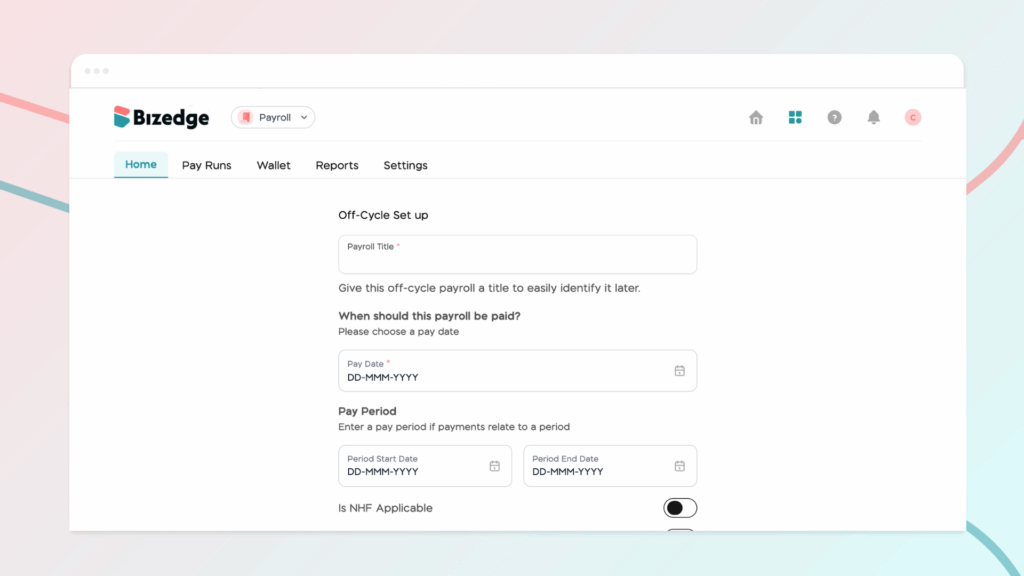
Navigate to the Payroll Homepage and click the Off-Cycle Payroll button. Enter a title and pay date, then enable Gross Salary, Pension, or Tax based on your specific needs. Once everything is set, click Run Off-Cycle to proceed.
Reviewing Employee Salary Details:
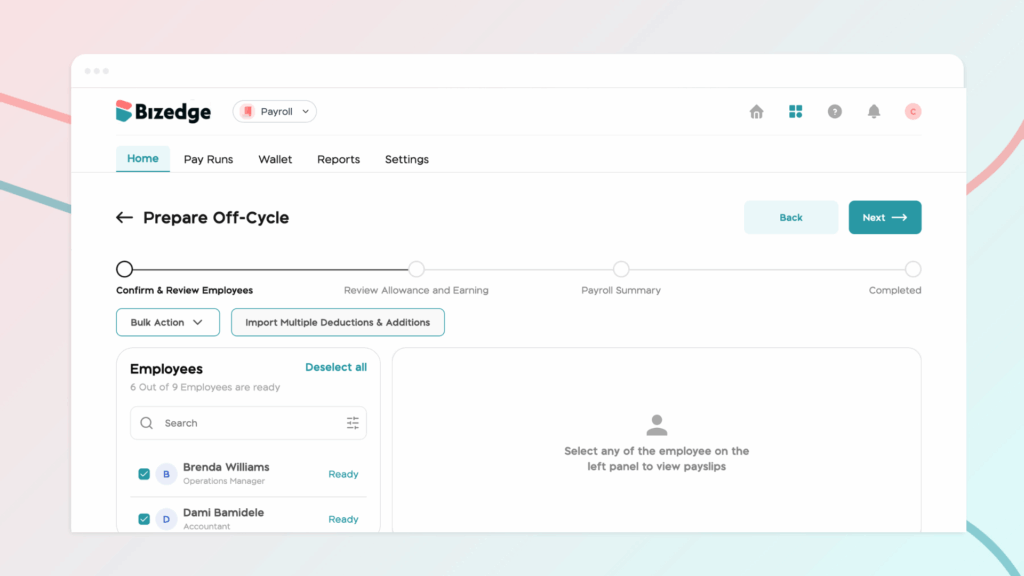
Next, review each employee’s salary details by adding any necessary Additions or Deductions. Confirm each employee’s salary breakdown to ensure accuracy, then click Next to move on to the Payroll Summary.
Approving and Finalizing Payroll
In the Payroll Summary, carefully verify all totals and ensure that every adjustment has been correctly applied. Once satisfied, click Approve and Run to finalize and process the payroll.



