How Employees Clock In and Clock Out
How to View Attendance Reports and Export Data
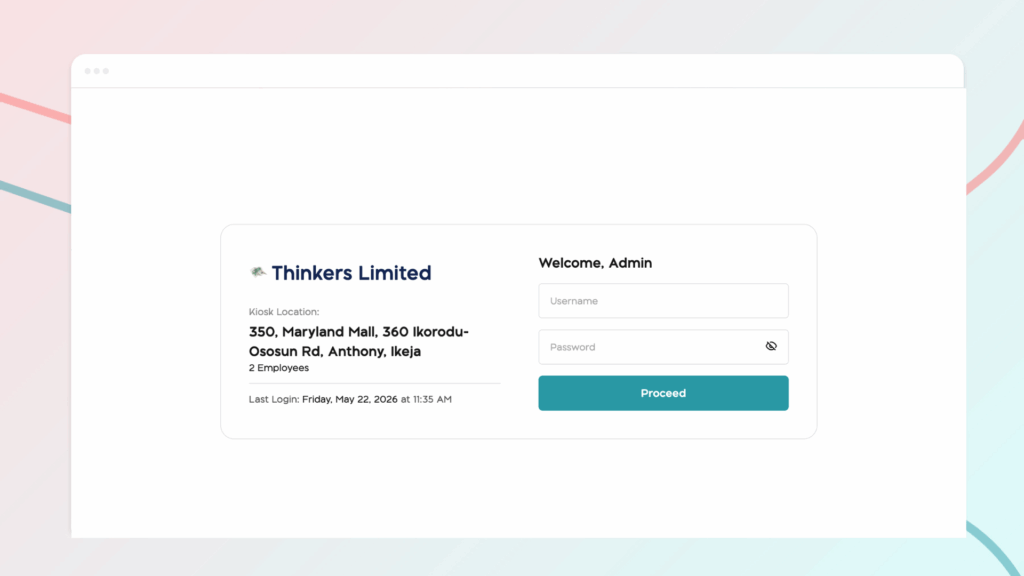
The Kiosk App allows employees to clock in and out using a shared device such as a tablet or laptop placed at the workplace. Each company location has its own unique kiosk URL and login credentials, keeping attendance tracking organized across multiple sites.
Setting Up the Kiosk
Step 1: Open the Attendance App
From the BizEdge dashboard, open the Attendance App, navigate to Settings.
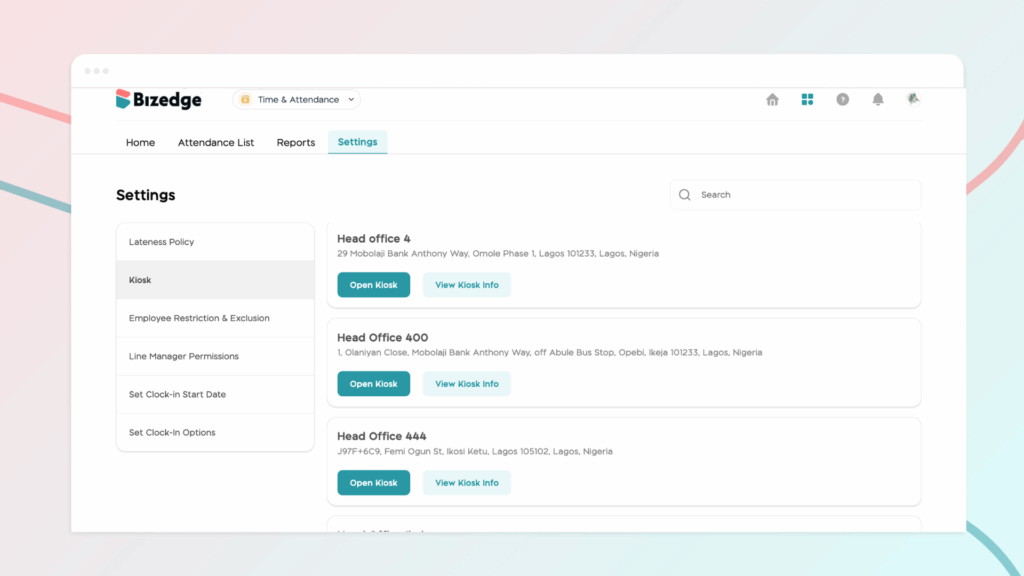
Step 2: Access Kiosk Options
Click on Kiosk. From here, you can either open the kiosk directly or view the kiosk credentials for that location. Click on ‘Open Kiosk’ then enter the Kiosk details.
Employee Clock-In Process
Step 1: Select Name
The employee selects their name from the list displayed on the kiosk device.
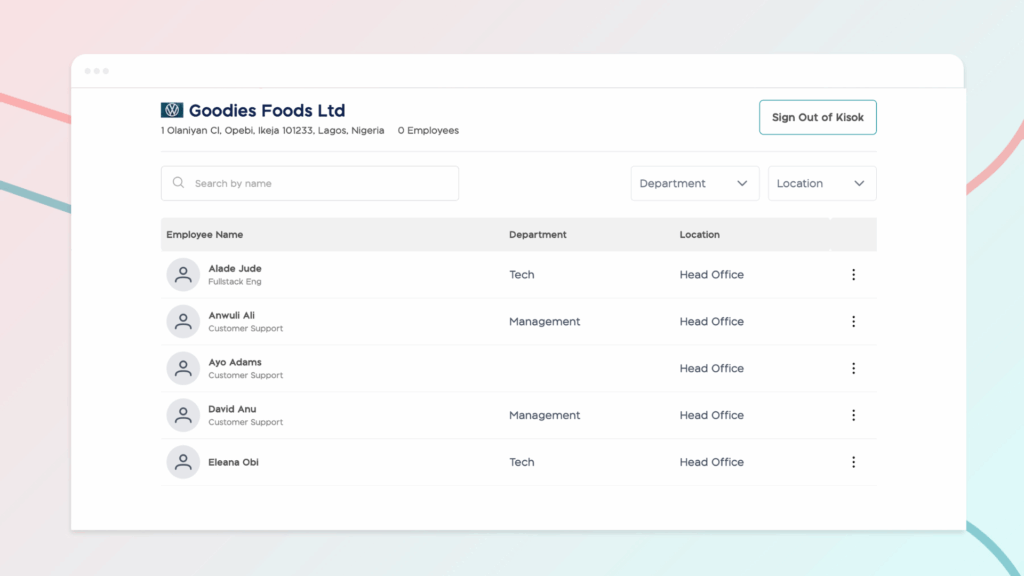
Step 2: Enter Default PIN
On their first use, the employee enters the default PIN 1234 to access their profile.
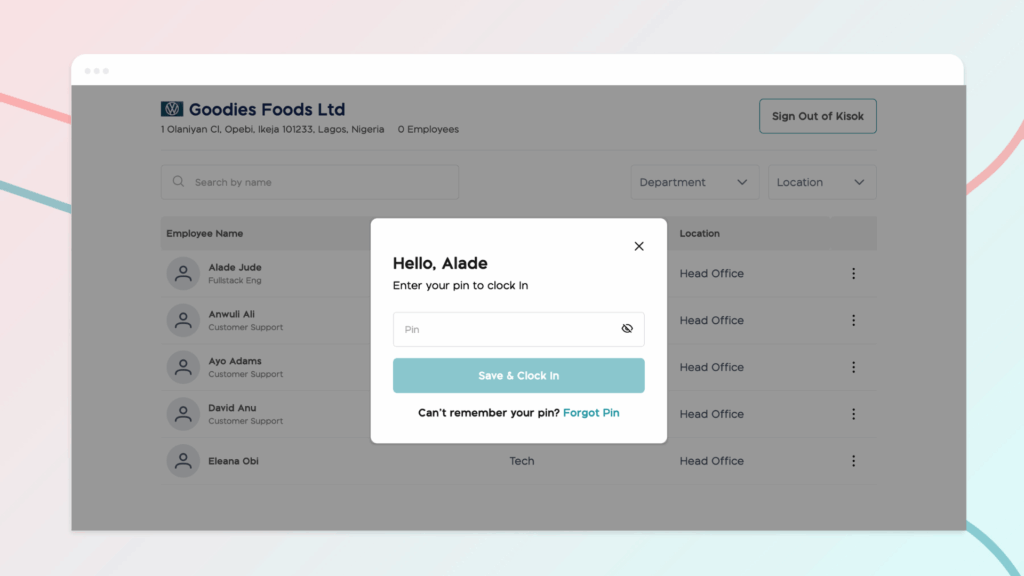
Step 3: Create a Personal PIN
The employee is prompted to create a new personal PIN, which they will use for all future clock-ins.
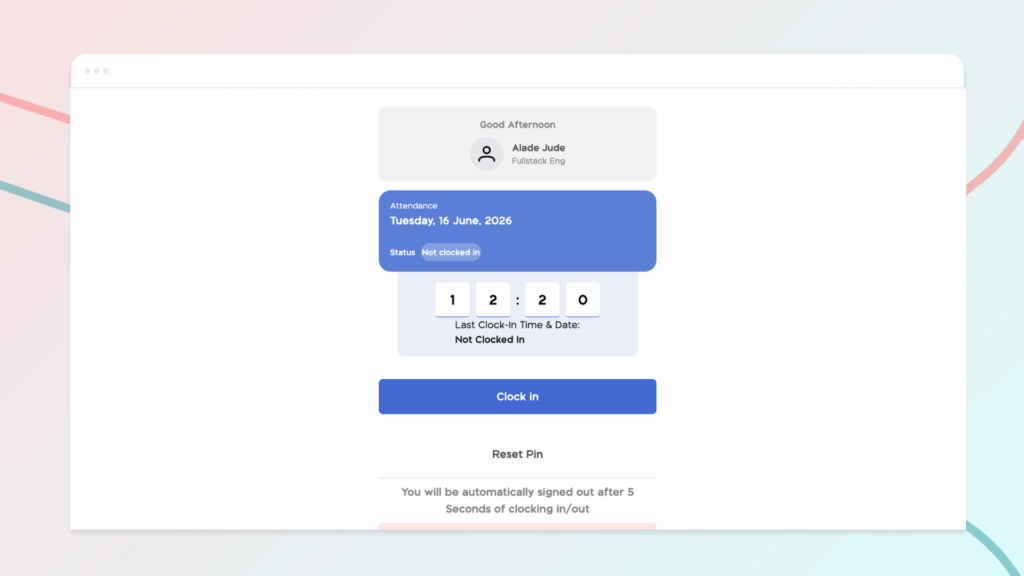
Step 4: Clock In
Once the PIN has been set, the employee clicks ‘Clock In’ to record their attendance. At the end of their shift, employees can return to the kiosk and follow the same process to clock out.