
How to Bulk Assign Work Details
How to Accept Profile Update Request
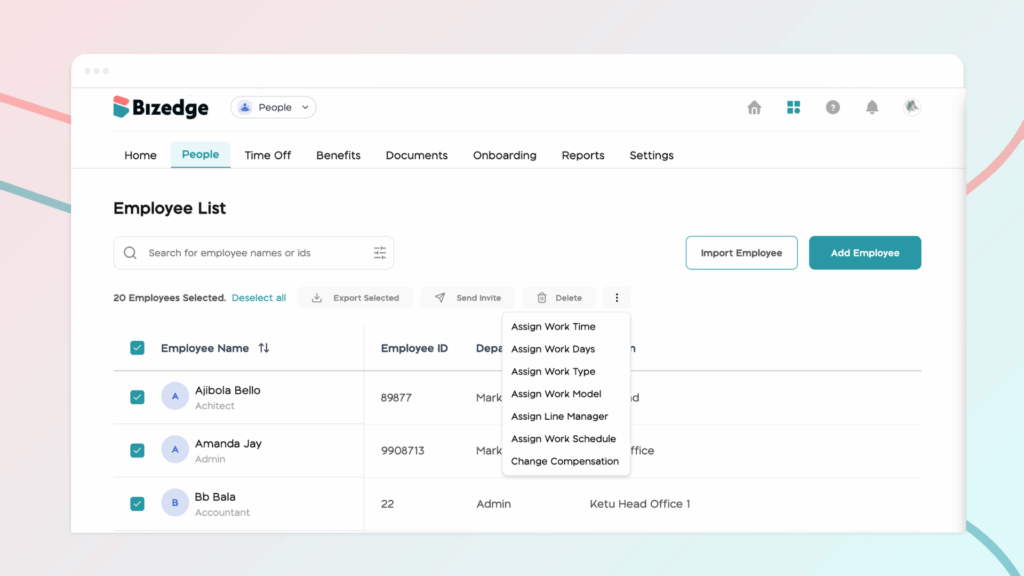
Step 1: To edit multiple employees’ salaries at once, select the employees and select ‘Change Compensation.’ This will show a modal with the steps on how to edit or review employees’ salaries.
Step 2: Download CSV Template
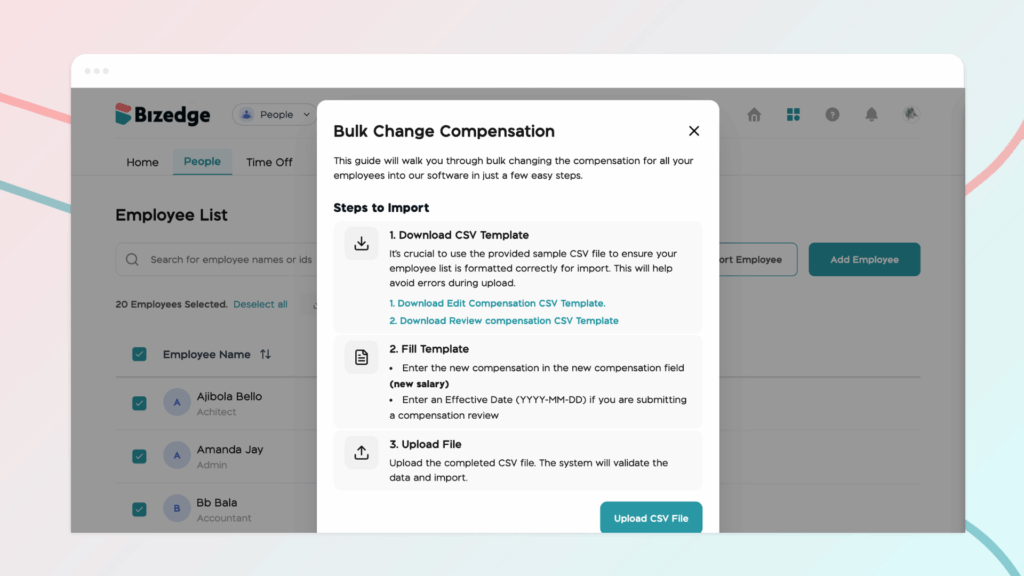
It’s crucial to use the provided sample CSV file to ensure your employee list is formatted correctly for import. This will help avoid errors during upload. You can decide to download the ‘Edit CSV template’ or the ‘Review CSV template’.
Step 3: Fill Template
Enter the new compensation in the new compensation field (new salary) and enter an effective date (YYYY-MM-DD) if you are submitting a compensation review.
Step 4: Upload File
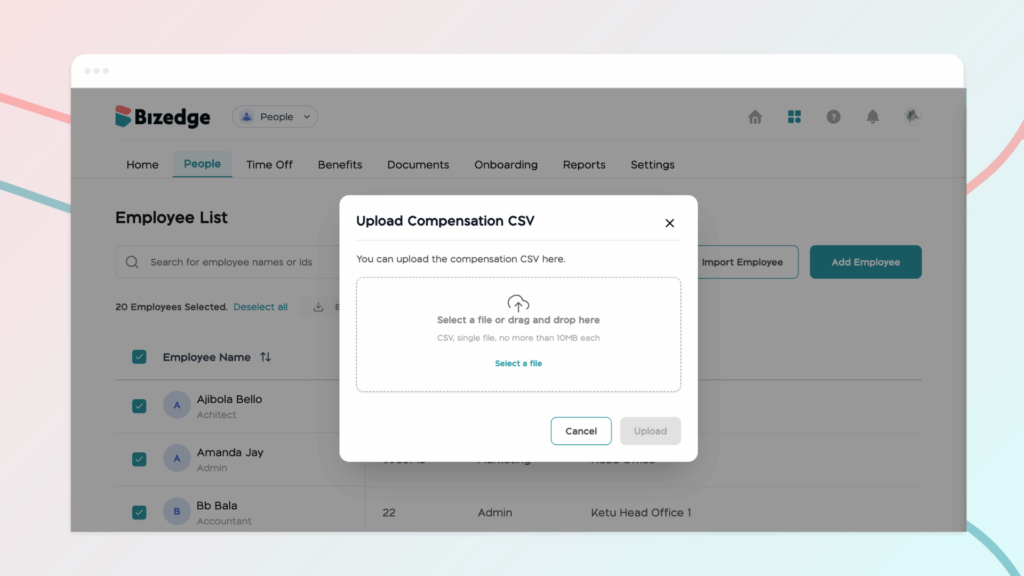
Upload the completed CSV file. The system will validate the data and import.



